

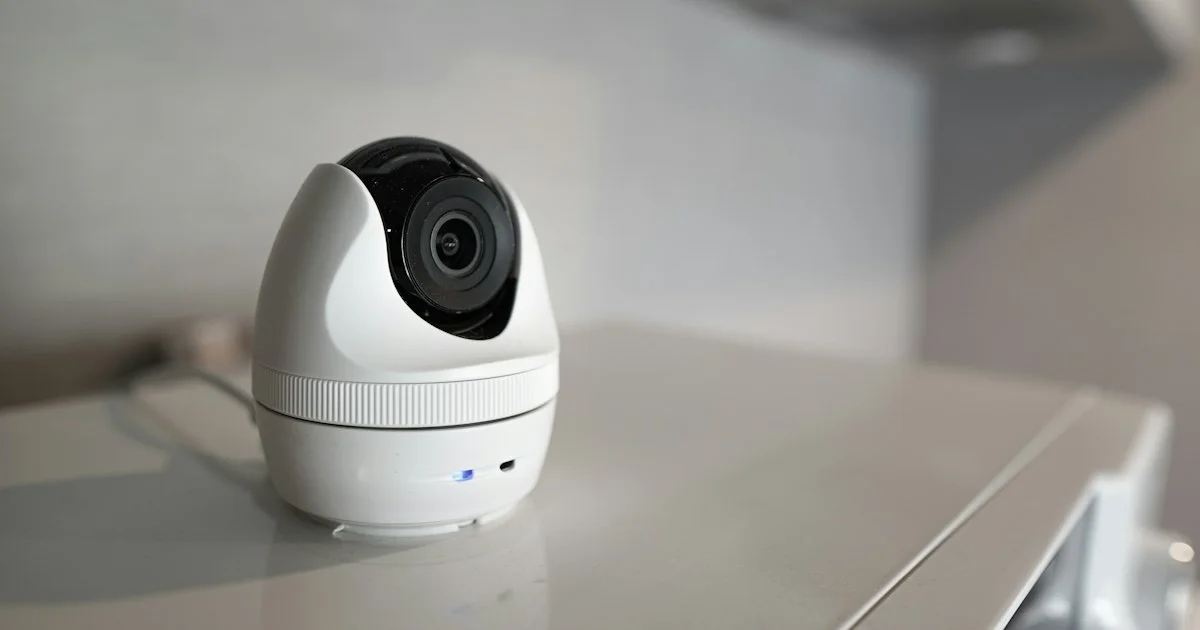
The most dangerous part of a baby monitor is the one nobody compares: the power cord. Cameras, apps and night vision are what the box advertises, but the thing that has actually hurt children is a cable within reach of a crib. Working out how to buy a smart baby monitor sensibly starts there and then moves on to the features, rather than the other way round.
This article is general product information, not medical advice. It draws on published safety guidance from the U.S. Consumer Product Safety Commission, a peer-reviewed accuracy study in JAMA, and an FTC enforcement action on connected-camera security. Any concern about a baby’s breathing, sleep or heart rate belongs with a pediatrician, not with a device.
What a top smart baby monitor guide 2026 should put first
Any top smart baby monitor guide 2026 parents can trust should open with cord placement, because this is the one area where the regulator has published a hard number. The Consumer Product Safety Commission reports that since 2002, seven infants and toddlers have been strangled in baby monitor cords. Its guidance is specific:
- Place cords at least three feet away from any part of the crib, bassinet, play yard or other sleep space.
- Never position a monitor inside a crib or on the edge of one.
- Check every monitor already in the room, including wall-mounted units, and confirm the cord is out of the child’s reach.
This has a direct buying consequence. Measure the distance from your outlet to the nearest point of the crib before you shop, because that measurement rules out any monitor whose cable is shorter than a safe route around the room, and it makes wall mounting a requirement rather than an option in a small nursery.
How to buy a smart baby monitor in five steps
- Measure the room and the cord run. Outlet to camera position, following a path that stays three feet clear of the crib on every side.
- Decide whether it goes on your home network. This single choice separates the two families of monitor and determines almost everything else about them.
- Check the range claim against your walls. Advertised range is measured in open air. A closed-system monitor that claims a large outdoor figure may struggle across two interior walls and a floor.
- Look at what happens when the internet drops. Some app-based monitors keep working on the local network and some do not. This is worth finding in the manual before you buy, not at 2 a.m.
- Treat breathing and oxygen features as a separate decision. They are not an upgrade to a video monitor; they are a different category with different evidence behind them, covered below.
What a closed-system monitor gives you
A closed-system monitor is a matched pair: a camera in the nursery and a dedicated parent unit, talking directly to each other. In the United States these typically use the 1.9 GHz band set aside for cordless voice devices, so the link never touches your router, your broadband account or any company’s servers.
The practical consequences are worth spelling out. There is no app to keep updated, no password to be leaked, and no outage when the internet goes down. Battery life on the parent unit is measured in hours rather than minutes because the screen is small and the radio is efficient. The costs are equally plain: you cannot check on the baby from work, the video quality is modest, and the parent unit is one more thing to charge and lose.
Who a closed-system monitor suits
The best smart baby monitor for USA households that want one fewer thing connected to the internet is usually a closed-system pair, and that is a defensible choice rather than a cautious one. It suits you if your broadband is unreliable, if the nursery is within a few rooms of where you sleep, if you would rather not manage another account and another password, or if you simply do not want a camera in your child’s room reachable from outside the house.
It suits you badly if a caregiver, a grandparent or a traveling parent needs to see the same feed.

What a Wi-Fi, app-based monitor gives you
An app-based monitor puts the camera on your home network and the view on a phone, which is genuinely useful and genuinely riskier. Several people can watch, from anywhere, with clips saved and motion or sound alerts pushed to a handset. Most add pan and tilt, two-way audio and a room temperature reading.
The risk is not theoretical. In 2013 the Federal Trade Commission settled a case against a maker of internet-connected home cameras after nearly 700 live feeds were posted publicly online, including footage of babies asleep in their cribs. The company had transmitted user login details in clear, readable text over the internet while advertising the cameras as secure. The settlement required independent security assessments every two years for twenty years.
What that case established is the checklist. Before you buy an app-based monitor, confirm it forces a unique password at setup rather than shipping with a default, that it supports two-factor authentication, and that the manufacturer has issued firmware updates recently. A camera that has not been updated in two years is a camera nobody is maintaining.
Who an app-based monitor suits
If you are asking which smart baby monitor should I buy for a household where more than one adult needs the feed, the app-based type is the honest answer, provided you treat the security setup as part of the installation. It suits you if two parents share nights, if a nanny or relative provides daytime care, if you travel, or if you want recorded clips rather than a live view only.
It suits you badly if your home network is patchy, or if you know you will not keep the firmware current.
What a breathing or oxygen monitor can and cannot tell you
Wearable monitors that claim to track a baby’s oxygen level or heart rate sit in a different category, and the published evidence deserves a plain reading. A 2018 study in JAMA tested two consumer pulse-oximetry baby monitors against an FDA-cleared hospital reference monitor in 30 infants aged up to six months. One of the two detected low blood oxygen with 88.8 percent sensitivity and 85.7 percent specificity but performed inconsistently, and it detected a slow heart rate with zero percent sensitivity. The other never detected low blood oxygen at all in the 14 infants who actually experienced it, and falsely displayed low pulse rates in 14 infants whose rates were normal.
The authors’ conclusion was that this is a largely unregulated market and that parents and physicians should be cautious about feeding these readings into decisions. That does not make every such device worthless, but it does mean a consumer wearable is not a medical monitor, a normal reading is not reassurance, and an alarm is as likely to be a sensor slipping as anything else. If a doctor has raised a specific concern about your baby, the equipment for that comes from the doctor.
Which monitor fits which nursery
| If your situation is | Shortlist | Watch out for |
|---|---|---|
| Nursery a room or two away, simple setup wanted | Closed-system pair | Range claims measured in open air |
| Two parents, or a caregiver who needs access | Wi-Fi, app-based | Default passwords and stale firmware |
| Unreliable broadband | Closed-system pair | No remote viewing at all |
| You want saved clips and alerts | Wi-Fi, app-based | Check whether storage costs extra |
| A doctor has raised a breathing concern | Ask the pediatrician | Consumer wearables are not medical monitors |
Frequently Asked Questions
These are the questions that tend to decide the purchase once the shortlist is down to two.
Is a Wi-Fi security camera good enough as a baby monitor?
It will show you the room, but it is built for a different job. A monitor is designed around continuous audio, a dedicated view you can leave on all night, and alerts tuned to a sleeping child rather than to movement in a hallway. The cord rule applies to a security camera in a nursery exactly as it does to a monitor.
Do I need a video monitor, or is audio enough?
Audio-only monitors are cheaper, use less power and remove the temptation to watch a screen instead of sleeping. Video earns its place when you need to tell whether a noise means the baby is awake, which matters more as a child starts moving around the crib.
Can a baby monitor reduce the risk of SIDS?
No consumer monitor has been shown to do this, and safe sleep practice, rather than a device, is what the guidance is built around. Discuss any specific worry with your pediatrician.
How long will we actually use it?
Longer than most buyers expect. Many families keep a monitor through the toddler years and into a shared bedroom, which is an argument for a model with a second camera option rather than the cheapest single unit.
Conclusion
Start with the three feet of clear space the cord rule demands, then pick your family: a closed-system pair if you want the monitor to stay off the internet, an app-based one if more than one person needs the feed and you will keep it patched. Treat breathing and oxygen tracking as a medical question rather than a feature comparison, and it becomes a straightforward purchase.


