

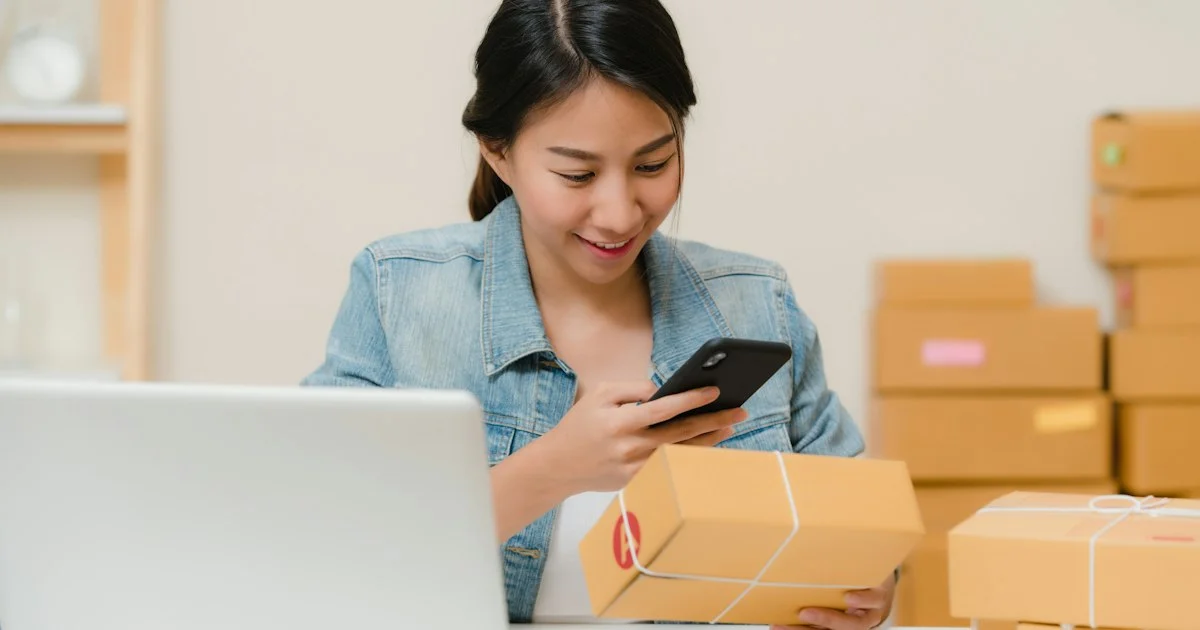
Point a phone at a package and the camera reads a number off the label in about a tenth of a second. That is the easy part, and nearly every app in the store manages it. What separates the top barcode scanner app 2026 shoppers are choosing between is what happens in the second after the beep.
What the top barcode scanner app 2026 has to be ready to read
The code on a retail package is about to change shape, and that decides more about your shortlist than any feature list does. GS1, the organization that issues the numbers behind retail barcodes, runs an industry program it calls Sunrise 2027, which it describes as “a global transition from 1D UPC barcodes to 2D barcodes, like QR codes, that provide greater transparency, stronger traceability, and richer data.” What it asks of stores is specific: “Install optical scanners that are Sunrise-capable to read 2D barcodes and extract the GTIN at POS.”
The practical difference is what the square code can carry. A striped UPC holds one identifier and nothing else. A 2D code can carry that identifier plus, as GS1 puts it, “additional data, such as product variants and production or expiration dates.” GS1’s own page names the year but not a day, and it does not say that striped codes stop working, so treat 2027 as a direction of travel rather than a switch-off date. For a buyer, the instruction is simple: an app that only reads striped codes is an app with a shrinking job.
The database behind the beep is the product
A barcode is an identifier. It is not a price, not an ingredient list, not a nutrition score and not a count of what is on your shelf. Every one of those comes from a database that somebody assembled, and the quality of that database is the real difference between two apps that look identical in a screenshot.
There is one place where the public can see how good a product catalog can get. The FDA runs the Global Unique Device Identification Database, which it describes as “a database administered by the FDA that serves as a reference catalog for every device with a unique device identifier (UDI).” It holds “ONLY the device identifier (DI) portion of the UDI,” it is open “for anyone, including patients, care givers, health care providers, hospitals, and industry,” and each record carries the device identifier on the label, the device name, the company name, magnetic resonance safety status, a standard nomenclature term and premarket submission numbers.
That is what a federally maintained catalog looks like, and it covers medical devices only. Nothing equivalent stands behind the grocery, pantry and price-check apps a shopper installs. Those catalogs are built by the app maker, bought from a data vendor or filled in by other users, and none of that is disclosed on the download page. So the question to carry into a comparison is not whether an app scans well. It is where its answers come from, and what happens when it has no answer at all.
How to shortlist in five steps
- Write down the codes you actually meet. Retail UPCs, QR codes on shipping labels, DataMatrix on small parts and old Code 128 on warehouse cartons are different jobs. Check the labels already in your house or stockroom before you read a single review.
- Decide up front: a lookup or a list. A lookup app tells you what an item is. An inventory app remembers how many you have. Very few do both well.
- Test it on ten items you already own. Scan a boxed grocery item, a paperback, a bottle of vitamins, a power tool and a piece of your own equipment. An app that misses half of them will miss half of yours forever.
- Find the export before you find the price. If your records cannot leave as a spreadsheet file, they are not your records. Look for it in the app’s own description, not in the marketing copy.
- Check what it asks for. A scanner needs the camera. It does not need your contacts, your location history or an account tied to your phone number.
What a lookup and price-check app gives you
For a shopper standing in an aisle, the best barcode scanner app for USA households is usually a lookup tool: point, read, and get a product name, a picture and often a set of prices pulled from retailers. These apps are fast, free or close to it, and they live or die on catalog coverage.
- They are strongest on mainstream packaged goods with long-established retail codes.
- They are weakest on store-brand items, regional products and anything sold loose.
- Price figures are as fresh as the last time the app’s source was updated, which is rarely stated.
- Most keep a scan history, which quietly becomes a record of what you buy.
Who a lookup app suits
It suits the comparison shopper, the person checking whether a pantry item is a repeat purchase, and the reader who wants an allergen or ingredient panel without squinting. It does not suit anyone who needs a number they can defend later, because a lookup app is designed to answer a question and then forget it.

What an inventory and stock-count app gives you
The top barcode scanner app for USA buyers who need a count, rather than an answer, treats the scan as a keystroke. You build your own item list, and scanning adds, removes or counts against it. The catalog problem mostly disappears, because you are the catalog, and in exchange you take on the work of entering items once.
This is the class that matters for a small seller, a workshop, a church library, a food pantry or anyone who has ever recounted the same shelf twice. The useful features are unglamorous: a bulk count mode that does not require a tap between items, fields you can name yourself, multi-user access if more than one person touches the stock, and an export that produces a plain spreadsheet rather than a report you can only read inside the app.
Who an inventory app suits
It suits the seller shipping a few dozen orders a week, the shop with a back room, the technician tracking tools across vans and the home user with a deep pantry or a serious collection. The cost is patience at the start. The payoff is that the count stops being an argument.
Which barcode scanner app should I buy
Asking which barcode scanner app should I buy is really asking which of two different products you need, so match the job before the brand. The table below is the short version.
| If you want to | Pick | Watch out for |
|---|---|---|
| Check what an item is while shopping | A lookup app with a large retail catalog | Thin coverage of store brands; stale prices |
| Know how many you have | An inventory app with bulk count mode | Setup time; per-item limits on free tiers |
| Track tools, gear or equipment | An asset app that prints its own labels | Label durability, not app features |
| Hand the data to an accountant | Anything with spreadsheet export | Export locked behind a paid tier |
| Read shipping and parts codes | An app that lists 2D formats explicitly | Apps that only name UPC support |
| Keep it entirely offline | An app that stores its list on the device | Losing everything with the phone |
How to buy the best barcode scanner app without a surprise later
Working out how to buy the best barcode scanner app for a job that will still exist in three years comes down to two habits. Install two candidates and run the same ten items through both, because coverage gaps only show up against real labels. Then find the export and use it on day one, while your list is ten items long, so you discover a locked or broken export before you have five hundred.
One more thing worth checking before you commit: whether the app works with the camera alone. Plenty of listings show a dedicated scanning gun. That hardware is a speed upgrade for someone counting all day, and it is entirely optional for everyone else.
Frequently Asked Questions
A few questions come up every time this category is discussed.
Do free barcode scanner apps work as well as paid ones?
For reading a code, yes. The paid tiers almost always sell item limits, users, export and support rather than better scanning. Judge the free version on catalog coverage and the paid version on what it unlocks.
Will my UPC labels stop working in 2027?
GS1’s Sunrise 2027 material asks stores to add the ability to read 2D codes at checkout. It does not announce a date on which striped codes stop being scanned, so plan for stores reading both.
Can a scanning app tell me if a product is genuine?
Not reliably. A code can be copied onto any package, and the app is reading the label rather than the item. Treat a match as weak evidence and a mismatch as a reason to stop.
Does scanning work without an internet connection?
Reading the code does. Looking up what it means usually does not, unless the app has stored a catalog or you built the list yourself. This is the clearest split between the two kinds of app.
Conclusion
The camera is solved, so the choice is about data and about what you can get back out. Decide up front whether the job is answering a question or keeping a list, run both against labels you already own, and check the export before your records are worth anything.


