

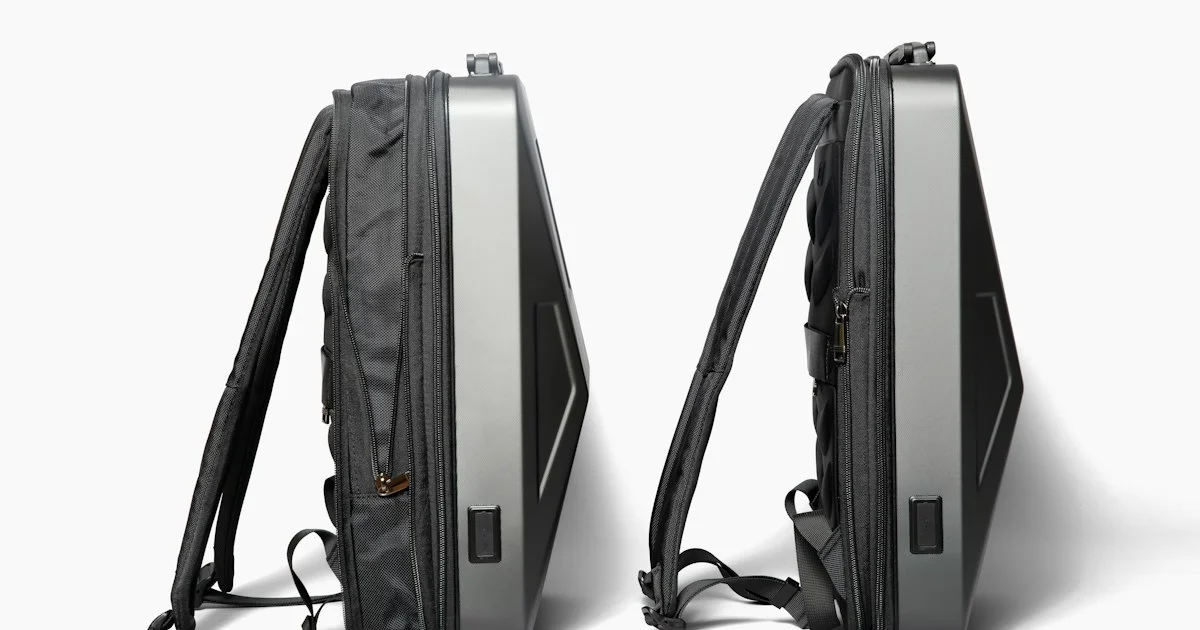
Repair is where a smart backpack quietly stops being a backpack. Torn fabric can be restitched by anyone with a needle and eleven dollars. The parts sewn in beside it often cannot be touched at all, and that split is the whole of how to choose a smart backpack without regretting it in year two.
A backpack battery is a lithium-ion cell inside a bag that gets dropped, sat on and rained on. Stop using a pack that swells, grows warm while idle, or smells sharp, and do not leave one charging inside a closed bag. This article is about choosing a bag, not about servicing a damaged cell.
Three parts, three lifespans, one price tag
A bag sold as one object is really three, and they fail on completely different schedules. The shell and the stitching can last a decade. The zippers go first on a bag carried daily. The electronics, which is to say the battery and whatever it is wired to, are the shortest-lived part and the only one you probably cannot replace.
The Federal Trade Commission studied exactly this problem across consumer products in its report to Congress on repair restrictions. It identified “the use of glue to close device cases or chassis or to secure component parts within a device” as a common barrier, and found that “manufacturers’ control of spare parts makes it a challenge for individuals and independent repair shops to replace consumable parts that are likely to need replacement during the course of a product’s useful life, such as mobile phone batteries.”
The Commission’s conclusion was blunt. It reported “scant evidence to support manufacturers’ justifications for repair restrictions,” and noted that beyond a single cited incident, “manufacturers provided no data to support their argument that injuries are tied to repairs performed by consumers or independent repair shops.” It found those restrictions had “steered consumers into manufacturers’ repair networks or to replace products before the end of their useful lives.”
Replacing the product before the end of its useful life is precisely what happens when a good bag with a dead sewn-in battery goes in the trash. So the first question is structural, and it comes before every feature on the tag.
Five steps in how to choose a smart backpack
The repair question is step one, because a yes or no there removes most of the market.
- Find out whether the battery is removable. A bag with a pocket and a pass-through cable takes any power bank you own. A bag with a cell sewn into a lining has a fixed expiry date.
- Look for a certification mark on the pack, not on the bag. The bag is fabric. The pack is the part with stored energy in it.
- Open every zipper in the store. Zippers are the most common failure on a daily-carry bag and the cheapest thing a maker cuts.
- Load it and wear it. A laptop sleeve that sits away from your back turns a comfortable bag into a lever.
- Check what the warranty covers separately. Fabric and electronics are frequently covered for very different lengths of time in the same document.
The mark to look for on the pack, and where it comes from
There is no safety standard for a backpack. There are several for what you put inside it, and the Consumer Product Safety Commission names them directly in its list of voluntary standards for batteries. The one written for this exact product is UL 2056, the “Outline of Investigation for Safety of Power Banks.” Two neighbors on the same list are UL 2054, the “Standard for Household and Commercial Batteries,” and UL 1642, the “Standard for Safety for Lithium Batteries.”
This gives an ordinary shopper a concrete thing to do. A removable power bank carrying a recognized certification mark has been investigated against a published document. A cell sealed into a lining, sold with no mark and no model number, has been investigated against nothing you can look up. The removable design is not just more repairable. It is the version whose safety you can actually verify.

What a top smart backpack 2026 listing leaves out
Nearly every top smart backpack 2026 listing leads with a charging port. Very few say plainly what sits behind it. On a large share of these bags the port is the end of a short internal cable and nothing more, which means the bag charges nothing until you supply your own battery.
That is not a scandal, and a pass-through cable is arguably the better design. It is simply a different product from the one the photograph implies. Before comparing two bags on price, establish whether one of them includes a battery and the other expects you to buy one.
- A port with no included pack is a cable, and the listing should say so
- A sewn-in cell should come with a model number and a certification mark, or it is unverifiable
- A bag that hides which of the two it is has answered the question
Who the best smart backpack for USA buyers actually suits
The best smart backpack for USA buyers is usually decided by commute length rather than by features. A twenty-minute walk with a laptop needs a well-built ordinary bag with a pocket for a power bank. A long multi-leg day with several devices is where an integrated setup starts to justify itself, and even then only if the pack comes out.
Students are the group most often sold the wrong version. A bag carried five days a week for four years will outlive any battery inside it by a wide margin, which makes removability more valuable to a student than to almost anyone else.
Answering which smart backpack should I buy
Asked plainly, which smart backpack should I buy comes down to how long you intend to keep the bag.
| If this is you | Prioritize | Skip |
|---|---|---|
| Daily commuter, short trip | Build quality, a plain pocket for your own pack | Integrated batteries of any kind |
| Student, four years of daily use | A removable pack, heavy-duty zippers, a long fabric warranty | Anything sewn in |
| Frequent multi-device days | A removable certified pack, real cable routing | Bags with no published pack model |
| Occasional use | The cheapest well-made ordinary bag | Paying for electronics you will rarely charge |
| Buying as a gift | Clear return terms, a separate power bank | Sealed units you cannot inspect |
Frequently Asked Questions
Three questions decide most of these purchases.
Does a charging port mean the bag has a battery?
Often not. On many bags the port terminates in a short internal cable, and you supply the power bank. Check the listing for an included battery and a model number before assuming one is there.
Is a sewn-in battery a problem?
It is a limit on the life of the whole bag. The FTC’s repair report describes glued and sealed assemblies and restricted spare parts as a route to consumers replacing products “before the end of their useful lives,” and a bag is a product that would otherwise last many years.
What certification should a power bank carry?
The CPSC’s voluntary standards list names UL 2056, the “Outline of Investigation for Safety of Power Banks,” as the document written for this product, alongside UL 2054 and UL 1642 for the cells themselves. A pack with a recognized mark and a model number can be checked. One without either cannot.
Conclusion
Buy the bag for the fabric and the zippers, because those are the parts that will still be working in five years. Buy the battery separately, so that when it stops holding a charge you are replacing a small object rather than a good backpack.


