

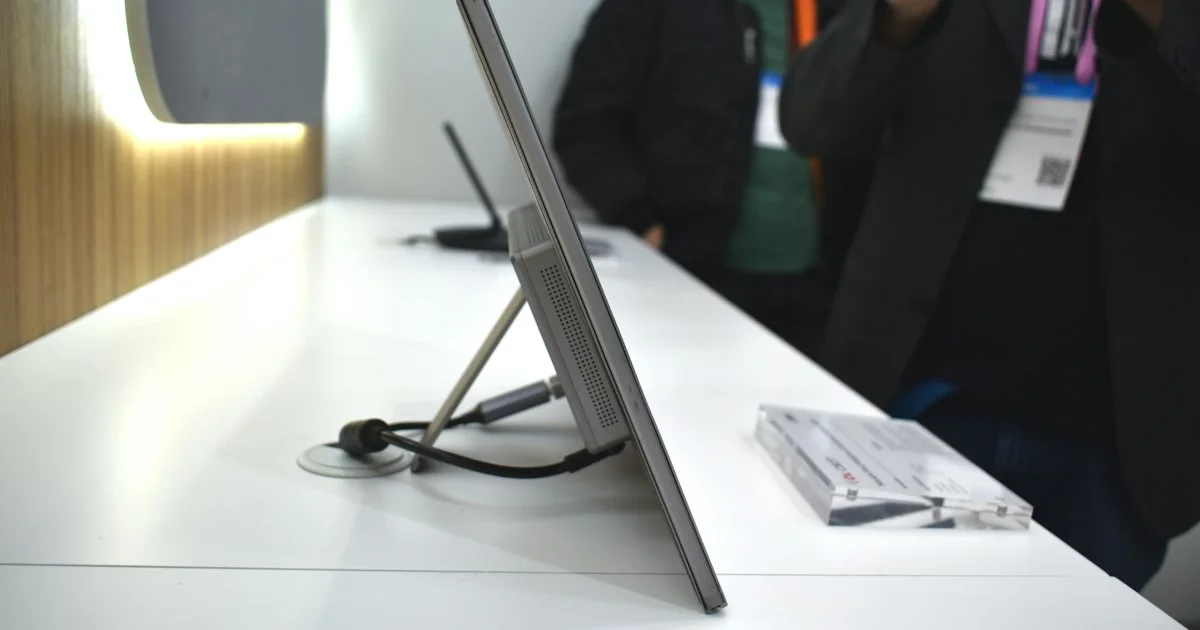
Working all day on one laptop screen means constant window-switching, and it costs you more time than you think. A portable monitor for laptop use is a slim second display that slides into a bag, runs off a single cable, and folds flat when you are done. This guide covers who genuinely benefits, which specs actually change your day, and how to shortlist one without paying for features you will never touch.
Key Takeaways
- Most people should start with a 15.6-inch 1080p USB-C panel — it is the size and resolution the category is built around.
- One USB-C cable carrying both video and power is the single biggest convenience feature. Check that your laptop’s port supports video output before you buy.
- The stand or cover matters as much as the panel. A screen that will not stay upright on a wobbly hotel desk gets left at home.
- Weight and thickness decide whether it lives in your bag or in a drawer. Under about 2 pounds is the practical line.
- Brightness, not resolution, is what usually disappoints. Dim panels are hard to read near a window or on a plane.
What a Portable Monitor for Laptop Use Actually Gives You
The short answer: it gives you a second place to put things, and that is worth more than any spec on the box. Reference material on one screen, your actual work on the other. No more alt-tabbing between a spreadsheet and the document you are filling in from it.
What it does not give you is a desktop-class display. These panels are thin, run on limited power, and generally trade brightness and color accuracy for portability. If the screen will live permanently on one desk, a normal monitor costs less and performs better. The portable version earns its price only when it actually moves.
Best for Working on the Road
If you work from hotel rooms, client offices, or a different desk every week, this is the clearest case for buying one. Look for the lightest panel you can find with a protective folio cover that doubles as a stand, and prioritize a single-cable USB-C connection so you are not hunting for a spare outlet.
Skip touchscreens and high refresh rates here. Both add weight and drain your laptop battery faster, which is the last thing you want in an airport lounge.
Best for a Cramped Desk or Small Apartment
When there is no room for a second full-size monitor, a portable panel that stands up when you need it and slides behind the laptop when you do not is a genuinely good fit. In this case you can afford a slightly heavier model, because it is not going far.
A model with a proper adjustable kickstand — rather than a folding magnetic cover — is worth the extra bulk. It holds a steadier angle and survives being repositioned every day.
Best for Presentations and Client Work
Showing a design, a proposal, or a report to someone sitting across from you is much easier on a screen you can spin around. For this use, pick a panel with wide viewing angles, since a cheap TN-style screen washes out badly the moment someone looks at it from the side.
Matte or anti-glare coatings help here too. Meeting rooms are usually lit from above, and a glossy screen turns into a mirror.

Best for Gaming and Console Play
A portable panel is a reasonable travel screen for a console or a handheld, but this is where the specs stop being optional. You want a genuine high refresh rate, low input lag, and a full-size HDMI port rather than a mini connector you will lose the adapter for.
Be realistic about power. Consoles do not supply power over the video cable, so a gaming-focused portable monitor almost always needs its own wall adapter or a power bank that supports the right output.
Is a Travel Monitor Worth It?
Whether a travel monitor worth it verdict applies to you comes down to one question: how often do you actually work somewhere other than your main desk? If the honest answer is a few times a year, a well-organized virtual desktop setup on your laptop will serve you better and costs nothing.
If you work away from your desk most weeks, the math flips quickly. The time you lose to window-juggling adds up, and so does the neck strain from hunching over a small screen for hours.
- Worth it: frequent travel, hot-desking, side-by-side document work, small permanent workspace
- Probably not: a fixed desk with room for a real monitor, occasional travel, mostly single-app work
Dual Screen Laptop Setup Guide: Getting It Working
A dual screen laptop setup guide is shorter than most people expect, because modern laptops handle almost all of it automatically. Here is the order that avoids the usual frustrations.
- Confirm your laptop’s USB-C port supports video output. Not every port does, and the manual or the port’s small display icon will tell you.
- Connect the monitor with the single USB-C cable first. If the screen stays dark, that port is data-only and you will need the HDMI input instead.
- Open your display settings and set the arrangement to match where the screen physically sits, so your cursor moves the right way.
- Set the portable panel as an extended display, not a mirrored one — mirroring defeats the entire purpose.
- Match the scaling. A 15.6-inch 1080p panel next to a sharper laptop screen often needs its scaling nudged so text is the same size on both.
- Test on battery. If your laptop drains alarmingly fast, use the monitor’s own power adapter instead of drawing from the laptop.
Comparing the Main Types
Portable monitors fall into a few broad styles. This table is about trade-offs rather than model names, since the specific models on shelves change constantly.
| Type | Best for | Main trade-off |
|---|---|---|
| 15.6-inch 1080p USB-C | Most people, most of the time | Nothing special; brightness varies a lot between makers |
| Compact 13-14 inch | Small bags and tight tray tables | Noticeably less usable screen area |
| High refresh rate | Console and handheld gaming | Heavier, hungrier for power |
| OLED panel | Photo and video review work | Costs more; reflective in bright rooms |
| Touchscreen | Sketching, sign-off, kiosk use | Extra weight and glare for a feature many never use |
| Built-in battery | Outdoor and field work | Significantly heavier and thicker |
Honest Portable Monitor Review Checklist
Before you trust any honest review portable monitor roundup, check whether it covers these four things, because affiliate-driven lists routinely skip them.
- Real measured brightness, not the number on the box. This is the spec most often overstated.
- Whether the stand holds an angle after a few weeks of use, or slowly sags.
- Power draw from the laptop, and how much battery life you actually lose.
- Port behavior — whether both USB-C ports accept video, or only one does.
How We’d Shortlist One
Work through these in order and the field narrows fast.
- Decide the size first: 15.6 inches unless your bag genuinely cannot take it.
- Check your laptop’s ports, then rule out anything that cannot connect with one cable.
- Set a weight ceiling and hold to it. This is the spec that decides whether you keep using it.
- Compare stands, not panels. Two monitors with identical screens can be very different to live with.
- Only then compare resolution, refresh rate, and color coverage against what you actually do.
Frequently Asked Questions
A few things that come up repeatedly when people shop for their first portable screen.
Will one cable really power the monitor and carry the picture?
On most modern laptops with a full-featured USB-C port, yes. Older machines and many budget laptops have data-only USB-C ports, which will need a separate HDMI cable and a power source for the monitor.
Does a portable monitor drain my laptop battery?
Yes, noticeably. Expect a meaningful cut in runtime when the panel is powered by the laptop. If you work unplugged for long stretches, plug the monitor into its own adapter or a power bank.
Is a higher resolution panel worth the extra money?
For most work, no. On a 15.6-inch screen at normal viewing distance, 1080p looks fine and uses less power. Higher resolution mainly helps photo and video editors who need the detail.
Can I use one with a tablet or a phone?
Often, if the device supports video output over USB-C. Behavior varies a lot by device and operating system, so check your specific model rather than assuming it will work.
Conclusion
A portable second screen is one of the few accessories that changes how a workday feels rather than just adding a spec. Pick the size and the stand first, confirm your laptop’s ports second, and treat everything else as a bonus.


