

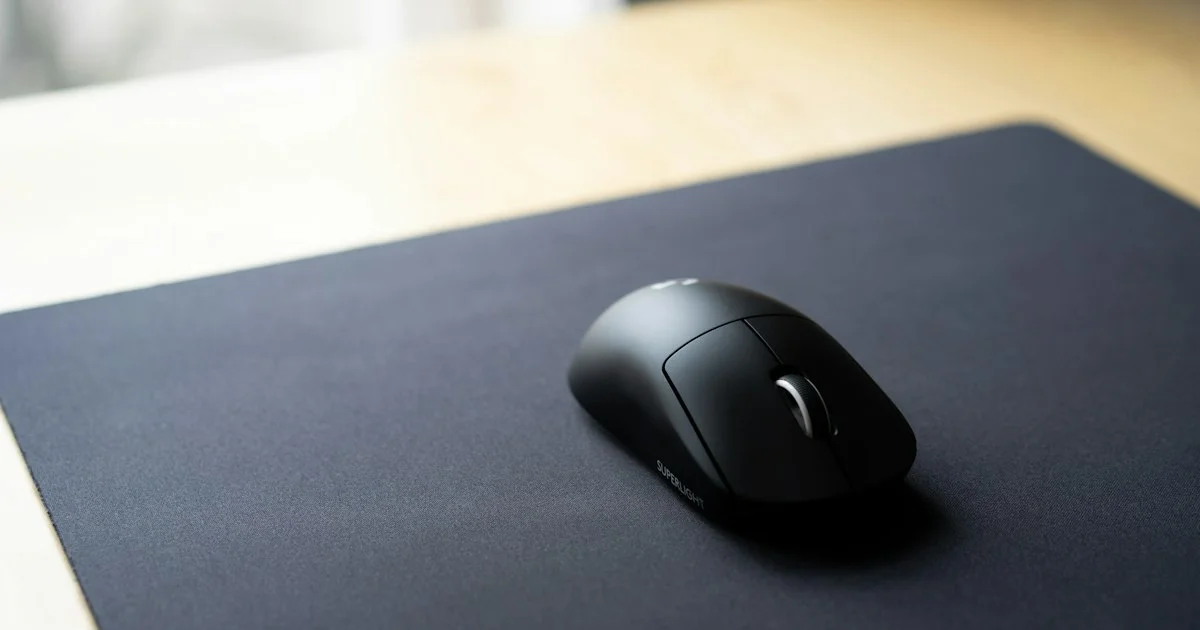
Players spend months choosing a mouse and then drop it on whatever surface is already on the desk. That is backwards. The best gaming mouse pad for precision does more for your consistency than another sensor upgrade, because the pad decides how the mouse starts, stops, and glides on every single flick. This guide breaks down the surfaces, the sizes, and who each option actually suits.
Key Takeaways
- Surface type matters more than brand. Cloth, hybrid, and hard pads feel completely different under the same mouse.
- Bigger is usually better for aiming. Low sensitivity means big arm sweeps, and running out of pad mid-flick is the most common cause of missed shots.
- A pad that slides on the desk ruins everything else. Grippy rubber backing is non-negotiable.
- Stitched edges add years of life for very little money, especially if you play with your wrist resting on the edge.
- RGB lighting changes nothing about how a pad plays. Buy it for looks, not performance.
What the Best Gaming Mouse Pad for Precision Actually Does
The short answer: it controls friction in two separate ways, and precision comes from the balance between them. Glide is how easily the mouse moves once it is already moving. Stopping power is how quickly it halts when you take your hand off the gas.
A fast, slick surface is great for wide sweeping movements but tends to overshoot small corrections. A slower, higher-friction surface makes micro-adjustments easier but tires your arm on big turns. Precision is not about picking the fastest pad — it is about picking the one whose stopping point matches your aim style.
Best for Low-Sensitivity FPS Aiming
If you play tactical shooters at low DPI and swing from the elbow, you want a large cloth pad with moderate speed and strong stopping power. Cloth gives your arm somewhere predictable to slow down, which is exactly what a low-sens player needs for headshot micro-corrections.
Size is not optional here. Anything smaller than roughly 17 by 15 inches will have you lifting and repositioning the mouse mid-fight, which is where consistency dies.
Best for High-Sensitivity and Fast Games
High-sens players making small wrist movements can use a smaller pad and benefit from a faster surface. A hybrid or coated pad lets the mouse move with less effort, so quick repeated flicks do not wear out your wrist.
The trade-off is control. Slick surfaces punish sloppy technique, and you will feel every unintentional twitch. If your aim already runs hot, a faster pad can make it worse.

Best for a Desk That Does Double Duty
If the same desk handles work by day and games by night, a large desk mat is the sensible pick. It covers the keyboard area too, protects the desk surface, and looks tidier than a small pad floating in the middle of an empty desk.
Look for a mat that lies flat straight out of the box or flattens within a day. A permanent curl at the corners is annoying to look at and worse to mouse over.
Best for Travel and LAN Play
Rolling a big cloth pad into a bag works, but it will hold the curl for hours after you unroll it. A smaller, semi-rigid pad or a thin hard pad packs flatter and is ready the moment you set it down.
Whatever you pick for travel, use it at home too. Switching surfaces between practice and competition undoes exactly the muscle memory you are trying to build.
Large Gaming Mouse Pad Review Points Worth Checking
Any large gaming mouse pad review worth reading should tell you more than the dimensions. These are the details that decide whether a big pad feels good six months in.
- Thickness. Around 3mm is the usual sweet spot. Thicker pads feel cushioned but can make the mouse feel vague on an uneven desk.
- Base grip. Test whether the pad shifts during a hard flick. A sliding pad is worse than a small one.
- Surface consistency. Some cheap pads are noticeably faster near the edges than in the middle.
- Washability. Cloth pads get grimy. Being able to wash one without ruining the weave matters.
- Edge finish. Stitched or heat-sealed edges stop the fraying that eventually eats a cheap pad.
Comparing Surface Types
This is the comparison that actually decides how a pad plays. Specific models change constantly, but these characteristics do not.
| Surface | Best for | Trade-off |
|---|---|---|
| Soft cloth | Low-sensitivity aim, comfort, long sessions | Slower glide; needs washing over time |
| Speed cloth | High-sensitivity flicks, fast-paced shooters | Less stopping power; punishes shaky technique |
| Hybrid or coated cloth | Players who want both glide and control | Feel varies a lot between makers |
| Hard plastic | Very fast, consistent glide; easy to wipe clean | Loud, harsher on mouse feet, less forgiving |
| Glass | Maximum speed and durability | Very low friction; chews through mouse feet |
| Desk mat | Shared work and gaming desks | Bulky; often built for looks over feel |
RGB Gaming Mouse Pad: Worth It or Not?
An rgb gaming mouse pad adds lighting around the border and, on some models, software that syncs it with the rest of your gear. It looks good in a dark room and does absolutely nothing for your aim.
What it does affect is practical stuff. Lit pads need a USB cable running across the desk, they cost more than a plain pad with the same surface, and the lighting strip usually makes the edges slightly raised. If the look matters to you, that is a fine reason to buy one — just do not expect a performance gain.
Gaming Desk Mat Comparison: Size Guide
A gaming desk mat comparison usually comes down to how much desk you are willing to give up. Use these rough categories to narrow it down before you compare surfaces.
- Small (under 14 inches wide): only for high-sensitivity wrist players with very little desk space.
- Medium (14-17 inches): a good general-purpose size if you play a mix of genres.
- Large (17-20 inches): the standard choice for low-sensitivity shooter players.
- Extended desk mat (24 inches and up): covers keyboard and mouse together; best for shared work and gaming desks.
How We’d Shortlist One
Five steps, in this order, and you will land on something that suits you rather than something that reviews well for someone else.
- Measure your usable desk depth and width first. That sets your maximum size.
- Work out your play style. Arm aimer at low DPI, or wrist aimer at high DPI?
- Pick the surface family that matches: control cloth for arm aimers, speed or hybrid for wrist aimers.
- Filter for a grippy base and finished edges. These are cheap features that decide longevity.
- Only then consider looks, lighting, and brand.
Frequently Asked Questions
The questions that come up most often when players start paying attention to their surface.
Does a gaming mouse pad really improve accuracy?
It improves consistency, which shows up as accuracy over time. A predictable surface means the same hand movement produces the same result every time, and that repeatability is what builds muscle memory.
How big should my mouse pad be?
Big enough that a full swing at your normal sensitivity never runs off the edge. If you regularly lift and reposition the mouse mid-aim, your pad is too small for how you play.
How often should I replace a cloth pad?
When the surface goes shiny and slick in the area you use most, the weave has flattened and the feel has changed. Washing buys time, but a heavily used pad usually needs replacing after a year or two.
Do hard pads wear out mouse feet faster?
Yes, noticeably. Hard plastic and especially glass surfaces grind down the PTFE feet on a mouse much faster than cloth. Budget for replacement skates if you go that route.
Conclusion
Match the surface to how you aim, buy a size that fits your full swing, and make sure the pad stays put on the desk. Get those three right and the pad stops being something you think about, which is exactly the point.


