

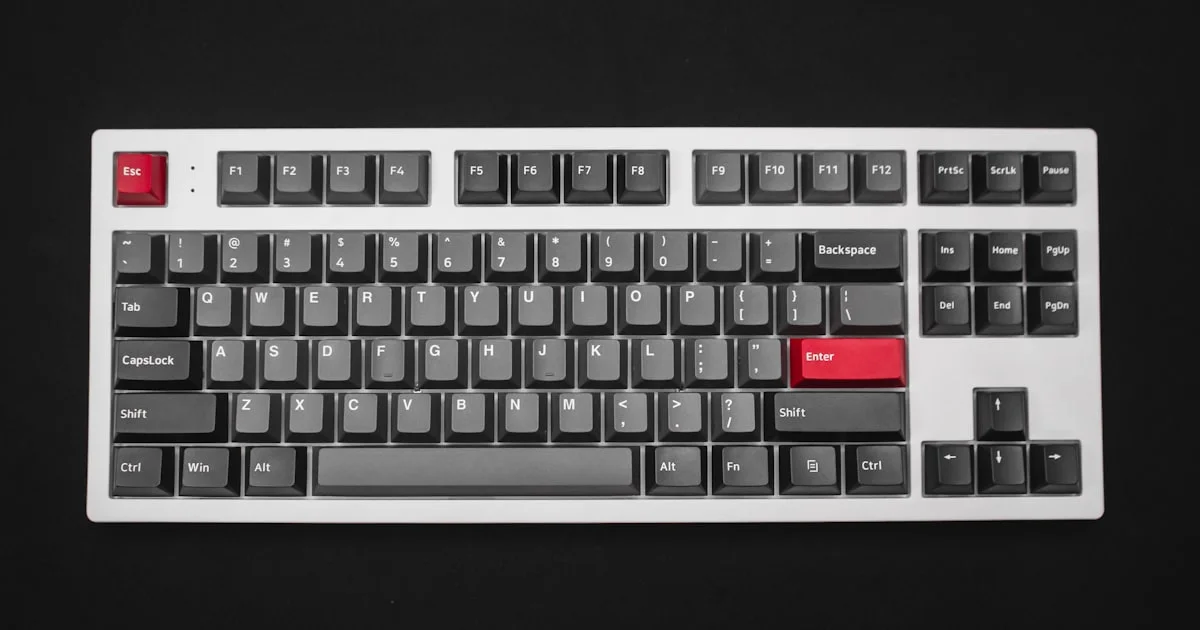
Shopping for the best mechanical keyboard under $100 used to mean accepting scratchy stabilizers and one fixed switch type for life. That is no longer true. Budget mechanical boards have matured enough that whether you type all day, game at night, or do both from the same desk, there is a genuinely good option in this price range once you know what to check before buying.
Key Takeaways
- Switch type matters more than price at this budget — linear, tactile, and clicky feel very different, so try before you commit.
- Hot-swappable sockets let you change switches later without soldering, a rare and valuable feature under $100.
- Tenkeyless (TKL) layouts free up desk space for mouse movement, which matters most for gaming.
- Wired connections are still the more reliable choice at this price; budget wireless boards can add noticeable input lag.
- Stabilizer quality on the larger keys — space bar, shift, enter — separates a good budget board from a mediocre one.
Best Mechanical Keyboard Under $100: The Short Answer
The short answer: for the best mechanical keyboard under $100, look for hot-swappable switches, a tenkeyless or 75% layout, and well-tuned stabilizers on the larger keys. That combination gives you room to fine-tune the feel later without buying an entirely new keyboard, and it matters more at this price than brand name or RGB lighting.

Best for Everyday Typing and Office Work
If most of your day is spent writing emails, reports, or code, a tactile or a quiet linear switch keeps the office peaceful while still giving your fingers a satisfying response. Full-size layouts with a number pad are worth the extra desk space if you work with spreadsheets often. Look for a board with some form of sound-dampening foam, since bare budget boards can sound hollow and carry further than you’d expect in a shared space.
Best for Gaming
An affordable gaming keyboard generally does better with linear switches, which move smoothly with no bump to interrupt fast, repeated presses. A tenkeyless or 65% layout keeps your mouse hand closer to the keyboard, and checking for N-key rollover or anti-ghosting on the spec sheet makes sure the board registers every key during frantic inputs. Per-key RGB lighting is nice but purely cosmetic — don’t let it outweigh switch feel in the decision.
Best for a Quiet, Shared Workspace
A clicky switch is fun for the person typing and genuinely irritating for everyone else in the room. If you share a workspace or take video calls often, a linear or a well-dampened tactile switch, combined with O-rings or factory sound dampening, keeps the noise down without giving up the mechanical feel entirely.
How to Shortlist a Budget Mechanical Keyboard
Narrowing down a budget mechanical keyboard gets much easier with a short checklist before you start comparing specific models:
- Decide on switch type first: linear for gaming and fast typists, tactile for a balance of feel and quiet, clicky if you don’t share a room.
- Check whether the switches are hot-swappable, so a bad first choice doesn’t become permanent.
- Pick a layout — full-size, tenkeyless, or 65% — based on how much desk space you actually have.
- Confirm the keycaps are PBT rather than thin ABS, since PBT resists the shiny wear patches ABS develops after months of use.
- Read owner reviews specifically about stabilizer rattle on the space bar, the single most common complaint on budget boards.
Cheap Mechanical Keyboards: What You Actually Give Up
A genuinely cheap mechanical keyboard under $50 usually cuts corners in ways that matter: unlubricated stabilizers that rattle, ABS keycaps that shine within months, and plastic cases that flex under firm typing. Spending closer to the $100 ceiling buys you factory-lubed switches, PBT caps, and a stiffer case — upgrades that affect daily feel far more than any RGB effect or software feature.
Mechanical Keyboard Layouts Compared
| Layout | Best for | Trade-off |
|---|---|---|
| Full-size | Spreadsheet-heavy office work | Takes the most desk space |
| Tenkeyless (TKL) | Mixed typing and gaming | No dedicated number pad |
| 65% / 75% | Small desks, minimalist setups | Arrow keys and function row are compressed |
| Hot-swap boards | Anyone who wants to try different switches | Slightly higher price within the budget tier |
Frequently Asked Questions
Quick answers to the questions that come up most when shopping at this price point.
Are budget mechanical keyboards actually durable?
Most mechanical switches are rated for tens of millions of keystrokes regardless of price, so the switches themselves rarely fail early. What varies by price is case material, keycap quality, and stabilizer tuning — the parts that affect feel more than lifespan.
Do I need hot-swappable switches?
You don’t need them, but they remove the risk of buying the wrong switch feel. Under $100, hot-swap support is common enough that it’s worth prioritizing over extras like RGB.
Is wireless worth it at this price?
Budget wireless mechanical boards have improved, but wired models are still more consistent for gaming and usually cost less for the same switch and build quality. If portability matters more to you than winning close matches, wireless is a reasonable trade.
What size should I buy if I both game and type?
A tenkeyless (TKL) layout is the most common compromise — it keeps arrow keys and function keys while freeing up room for mouse movement, without the steep learning curve of a 60% board.
Conclusion
You don’t need to spend over $100 to get a keyboard with real mechanical switches, solid stabilizers, and PBT keycaps. Match the switch type and layout to how you actually use your desk, prioritize hot-swap support if you’re unsure which switch feel you want, and the rest of the decision gets much easier.


