

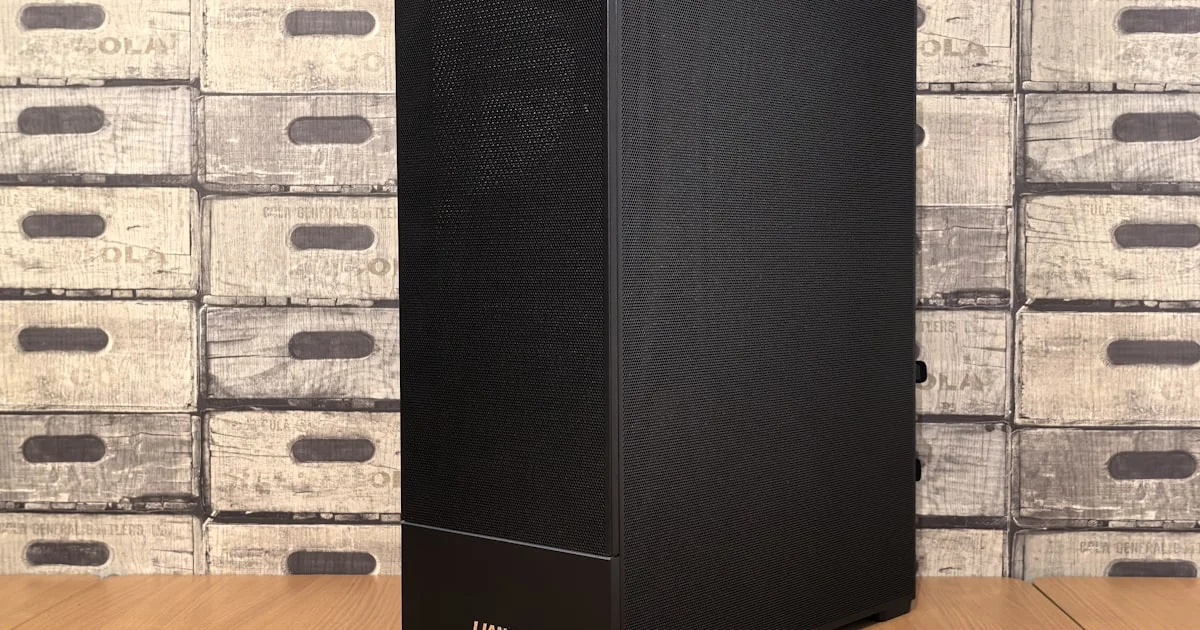
Not everyone has room for a full gaming tower under the desk, and that’s exactly why the best mini gaming pc for small spaces has become such a popular category. A well-built small case can now hold a genuinely capable graphics card, run cool, and still leave room on your desk for a coffee mug. The trade-offs are real, but they are smaller than they used to be — as long as you know which ones to expect.
Key Takeaways
- Case volume, not brand, is the real limit on which graphics cards will physically fit.
- Small form factor builds run hotter than full towers, so cooling design matters more than raw specs.
- Pre-built mini gaming PCs save the guesswork of part compatibility that trips up first-time small-form builders.
- Upgradability is more limited than a standard tower — check GPU length and PSU wattage before you commit.
- Ports and connectivity can be tighter on compact cases, so confirm you have enough USB and display outputs for your monitor setup.
Best Mini Gaming PC for Small Spaces: The Short Answer
The short answer: the best mini gaming pc for small spaces is one where the case, cooler, and power supply were designed together as a matched small form factor system, rather than a shrunk-down version of a full tower. Systems built this way run quieter and cooler than a random combination of mini-ITX parts assembled without regard to airflow.

Best for a Dorm Room or Apartment Desk
When desk space is the constraint, a small-form-factor tower under 20 liters keeps your setup compact without giving up a dedicated graphics card. Look for a case with a front air intake rather than a fully sealed front panel — dorm rooms and apartments often have limited airflow already, and a sealed case makes that worse.
Best for a Living Room or TV Setup
For gaming on a TV instead of a monitor, a quieter, console-sized case matters more than raw power. Prioritize a system with a near-silent fan curve at idle and video output that matches your TV’s refresh rate, since a loud PC sitting next to a TV stand is far more noticeable than one tucked under a desk.
Best for LAN Parties and Frequent Moving
If the PC needs to travel — to a friend’s place, a LAN event, or just between rooms — total weight and a sturdy carry handle matter as much as performance. Some small form factor cases are built with handles specifically for this, which a repurposed mini-ITX case usually is not.
Planning a Mini Gaming PC Build
If you’d rather assemble your own instead of buying pre-built, a mini gaming pc build starts with the case, not the graphics card. Pick the case first, then check its maximum supported GPU length, CPU cooler height, and power supply form factor before choosing any other part — in a small case, those clearances are the real bottleneck, not your budget.
How to Shortlist a Small Form Factor Gaming Computer
A small form factor gaming computer is easiest to shop for with a short, ordered checklist:
- Confirm the graphics card you want actually fits the case’s maximum GPU length — this varies by several inches between compact cases.
- Check the power supply wattage and form factor (SFX vs SFX-L) required, since not every case fits both.
- Look at published thermal and noise reviews under sustained gaming load, not just idle temperatures.
- Count the ports you actually need — USB, Ethernet, and display outputs — before assuming a compact case has enough.
- Decide whether upgradability matters to you; some ultra-compact designs trade it away entirely for size.
What a Compact Gaming PC Review Should Tell You
A useful compact gaming pc review reports load temperatures and noise levels under real gameplay, not just spec-sheet numbers. Two systems with identical CPUs and GPUs can behave very differently once airflow and case design enter the picture, so reviews that skip thermal testing are skipping the part that matters most for small builds.
Mini Gaming PC Options Compared
| Type | Best for | Trade-off |
|---|---|---|
| Pre-built SFF system | Buyers who want it to just work | Less flexibility to swap parts later |
| Custom mini-ITX build | Enthusiasts who enjoy building | Requires careful part compatibility research |
| Console-style compact case | Living room and TV setups | Usually limits GPU size more than other cases |
| Portable SFF with handle | LAN parties and frequent moves | Often trades some cooling headroom for portability |
Frequently Asked Questions
Answers to the questions that come up most often when downsizing a gaming PC.
Do mini gaming PCs run hotter than full towers?
Generally yes, because there is less internal volume for air to move through. Good small form factor designs manage this with carefully placed intake and exhaust fans, but a poorly designed compact case will run noticeably hotter than a standard mid-tower with the same parts.
Can I fit a high-end graphics card in a mini gaming PC?
Some can, but you need to check the case’s maximum supported GPU length before buying — high-end cards are often too long for the smallest cases, even when the rest of the system would handle them fine.
Are mini gaming PCs more expensive than full towers with similar specs?
Often slightly, yes. Compact cases, small form factor power supplies, and specialized coolers cost more to engineer than standard tower parts, so you’re paying a premium for the smaller footprint.
Is it harder to upgrade a mini gaming PC later?
Usually. Tight clearances mean a future graphics card or cooler upgrade is more likely to hit a size limit than in a full tower, so it’s worth thinking a generation or two ahead when picking parts.
Conclusion
A small case no longer means giving up real gaming performance, but it does mean paying closer attention to clearances, airflow, and power supply compatibility than you would with a full tower. Match the case to where it will actually live — desk, living room, or travel bag — and the rest of the build follows naturally.


