

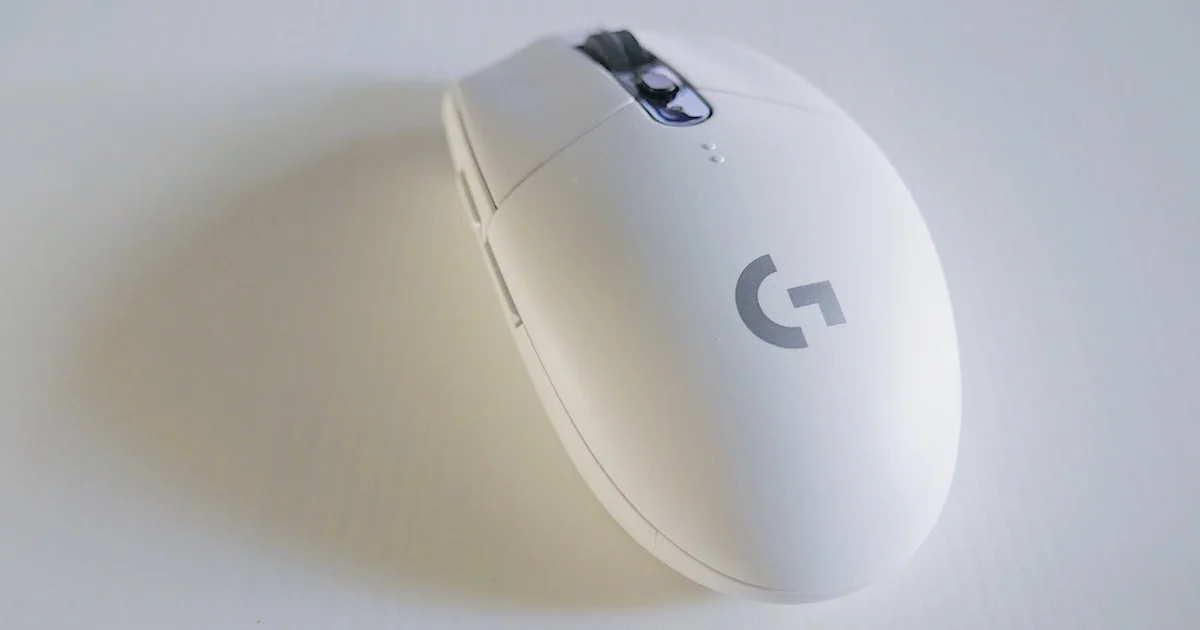
A gaming mouse buying guide for FPS games should start with shape and control, not marketing numbers. Competitive shooters reward consistent aim, a comfortable grip over long sessions, dependable clicks, and low input delay — and almost none of that is captured by the DPI figure printed on the box.
Key Takeaways
- Shape and weight decide more matches than sensor specifications ever will.
- Nearly every modern sensor is accurate enough for competitive play. Sensor marketing is largely solved-problem theatre.
- Most FPS players use far lower DPI than they assume — high DPI is not an advantage on its own.
- Good wireless is now genuinely competitive with wired. Cheap wireless is not.
- Cable drag on a wired mouse causes more aim inconsistency than people realise. A bungee helps significantly.
What this gaming mouse buying guide for FPS games prioritises
The short answer: get the shape right for your hand and grip, keep the weight low, choose a reputable sensor, and stop worrying about the rest. A perfectly specified mouse in the wrong shape will hurt your aim more than a modest mouse that fits.
This ordering runs contrary to how these products are marketed, where sensor numbers dominate the packaging. The reason is that sensor performance stopped being a differentiator years ago. Almost any current flagship or mid-tier sensor tracks accurately well beyond the speeds a human hand produces.
Shape and grip style come first
Your hand size and grip style determine whether a mouse feels natural or fights you. Three grips dominate, and each suits different shapes.
- Palm grip — the whole hand rests on the mouse. Suits larger, taller shells with pronounced back humps. Stable for tracking, slower for flicks.
- Claw grip — fingers arched, palm contacting the rear only. Suits medium shells with a defined hump. Balances stability and speed.
- Fingertip grip — only fingertips touch, palm lifted. Suits small, flat, light shells. Fastest micro-adjustments, least stability.
Measure your hand from the base of the palm to the tip of the middle finger, and check that measurement against manufacturer recommendations. Symmetrical shapes suit the widest range of hands; ergonomic right-handed shapes can be more comfortable if they happen to match your hand, and worse if they do not.
If you can try a mouse in person, do. Shape is the one thing specifications cannot communicate, and it is the thing that matters most.
Weight, and why lighter usually wins
Lighter mice have become the competitive standard for good reason. Lower mass means less inertia to overcome when starting and stopping a movement, which makes small corrections easier and reduces fatigue across a long session.
That said, extremely light is not automatically better. Some players find very light mice harder to control precisely, because a little mass helps damp small hand tremors. If you are unsure, mid-weight is a safer starting point than chasing the lowest number available.
Be cautious with honeycomb shells. The weight saving is real, but the open structure exposes internals to dust and sweat, and some players dislike the texture against their palm.
A realistic low latency mouse comparison
Any honest low latency mouse comparison has to separate latency you can perceive from latency that exists only on a measurement chart. Differences of a millisecond or two are real and measurable, and are also far below the threshold at which a human can notice them in play.
| Connection | Practical latency | Trade-offs |
|---|---|---|
| Wired USB | Lowest, fully consistent | Cable drag unless a bungee is used |
| Premium 2.4GHz wireless dongle | Effectively equal to wired | Battery management, higher cost |
| Budget 2.4GHz wireless | Usually fine, occasionally inconsistent | Possible interference and dropouts |
| Bluetooth | Noticeably higher | Not suitable for competitive FPS |
The practical conclusion: premium wireless with a dedicated dongle is competitively equivalent to wired, and worth the cost if you dislike cable drag. Bluetooth is fine for travel and unsuitable for shooters. Budget wireless is a genuine gamble — the failure mode is intermittent, which is worse than consistently mediocre.
Polling rate follows the same pattern. The jump from 125Hz to 1000Hz is meaningful. Beyond 1000Hz, returns diminish sharply and CPU overhead rises.
Switches, feet, and the parts that wear out
Click feel is personal, but reliability is not. Mechanical switches remain the standard and are rated for tens of millions of clicks. Optical switches eliminate the double-click failure that eventually affects some mechanical switches, at the cost of a slightly different feel that some players dislike.
Double-clicking — where a single press registers twice — is the most common way a mouse dies. Ask whether the manufacturer honours warranty claims for it, because policies differ considerably.
Mouse feet are consumable and cheap to replace. Worn feet make gliding inconsistent, and swapping them restores the feel of a new mouse for very little money. Check that replacements are available for any model you are considering.
Settings: what a competitive gaming mouse review rarely covers
A useful competitive gaming mouse review tells you about the hardware, but your settings matter as much as the device. Work through these once and leave them alone.
- Pick a DPI and stop changing it. Many competitive players sit between 400 and 1600. Consistency builds muscle memory; constant adjustment destroys it.
- Calculate your effective sensitivity — DPI multiplied by in-game sensitivity. This is the number that actually matters, and it lets you match feel across different games.
- Turn off mouse acceleration in both Windows and the game. Acceleration makes identical hand movements produce different results.
- Set Windows pointer speed to the middle notch. Any other setting applies scaling that reduces precision.
- Match your mousepad to your sensitivity. Lower sensitivity needs more desk space than most people allow for.
- Update firmware once, then leave it. Store settings onboard so they follow the mouse between machines.
Why lower sensitivity tends to win
Lower sensitivity means larger hand movements for the same on-screen rotation, which spreads aiming error across a bigger physical distance and makes fine corrections easier. The trade is that you need desk space and a large mousepad. Most players who switch down report worse aim for a week or two, then better aim than before.
Frequently Asked Questions
These come up constantly when players shop for a shooter-focused mouse.
Does higher DPI improve aim in FPS games?
No. Very high DPI makes the cursor move further per hand movement, which amplifies small tremors. Most competitive players deliberately use lower settings. Choose a DPI that gives you a comfortable full-turn distance and keep it fixed.
Is wireless acceptable for competitive play?
Premium wireless using a dedicated 2.4GHz dongle is competitively equivalent to wired and is used at the highest levels. Bluetooth is not suitable. Budget wireless is inconsistent enough that wired is the safer choice at low prices.
How many side buttons do I need for shooters?
Two is plenty for most FPS players — typically ping and a secondary ability or push-to-talk. Mice with large button clusters add weight and increase the chance of accidental presses during fast movement.
How long should a gaming mouse last?
Several years is reasonable with normal use. Feet wear out first and are cheap to replace. Switches are the usual eventual failure. Cable strain on wired models and battery degradation on wireless ones are the other common limits.
Conclusion
Match the shape to your hand and grip, keep the weight moderate to low, choose wired or premium wireless, then fix your sensitivity and leave it alone. Those decisions will do far more for your aim than any specification on the packaging.


