

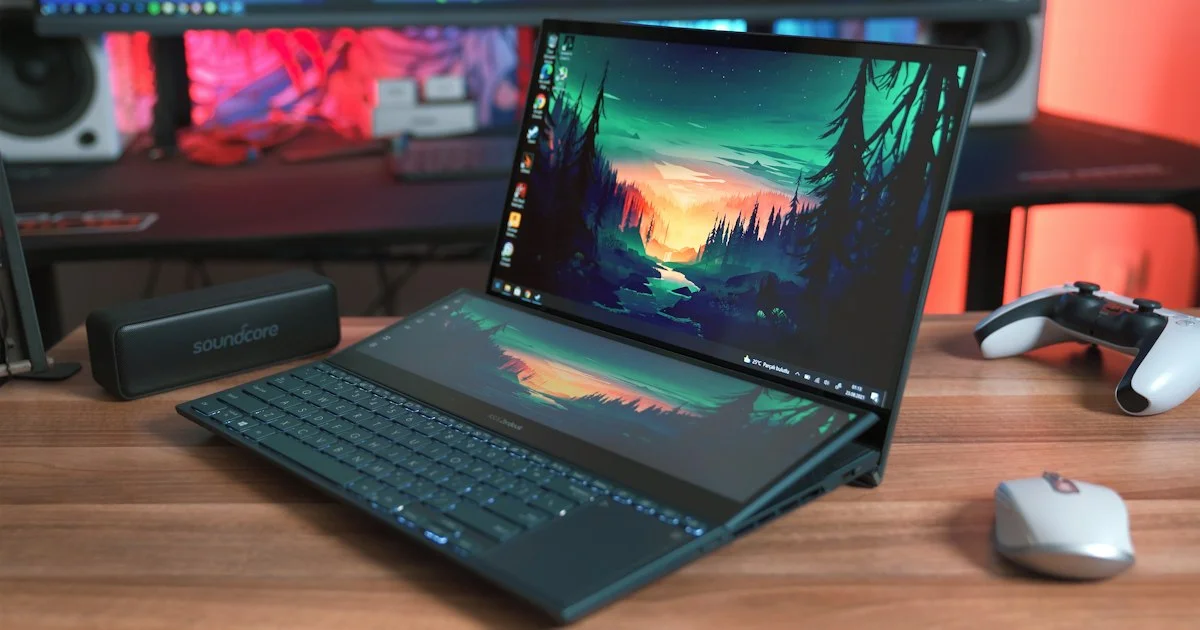
A gaming laptop under $1000 is no longer a compromise machine. At this price you can count on a dedicated graphics chip, a fast screen, and enough cooling to hold a steady frame rate through a long evening — as long as you know which corners get cut to hit the price. This guide sorts the category by who each kind of machine actually suits, then shows you what to check before you hand over the money.
Key Takeaways
- This is a 1080p category. Aim for smooth 1080p rather than stretching toward 1440p.
- A dedicated graphics chip matters more than a headline processor number at this budget.
- 16GB of memory and a solid-state drive are the two things worth insisting on.
- A 120Hz or faster screen improves how games feel more than a small graphics bump does.
- Savings come out of the chassis, the battery, and the speakers — plan around that.
What a Gaming Laptop Under $1000 Really Buys You
The short answer: a gaming laptop under $1000 buys you comfortable 1080p gaming on a dedicated graphics chip, with the compromises pushed into the case, the battery life, and the screen’s color accuracy rather than into raw frame rates.
Manufacturers hit this price by holding the graphics chip one or two tiers below the flagship parts, then trimming everything a spec sheet does not advertise. That usually means a plastic lid that flexes, a battery that lasts a few hours of light work and under an hour of gaming, and speakers you will want to replace with headphones. None of that stops the machine from playing games well. It just tells you where to set expectations.
What you should not accept at this price is a machine with no dedicated graphics at all, only 8GB of memory with no free slot, or a mechanical hard drive as the only storage. Those three cuts are the ones you feel every day.
Best for 1080p Gaming at High Frame Rates
If the point of the machine is competitive shooters or fast-paced action, put the money into the graphics chip and the refresh rate and let everything else be ordinary.
Look for a 15- or 16-inch panel running at 144Hz or higher. In this budget tier the screen is often the better-value upgrade: a faster panel costs the manufacturer far less than a graphics tier jump, and in fast games the difference is immediately visible. Pair it with a current-generation entry-level dedicated graphics chip and turn settings to medium rather than ultra — that combination holds high frame rates far more reliably than a slightly stronger chip running everything maxed out.
Cooling matters here more than anywhere else in the category. A chassis with two fans and rear-facing exhaust vents will sustain performance through a two-hour session; a thin, single-fan design will start throttling within twenty minutes.
Best for Students Who Also Need a Work Machine
Plenty of people buying in this range need one laptop for lectures and one for games, and it has to be the same laptop. That changes the priorities.
Favor a 15-inch or smaller machine under about five pounds, with a keyboard that is comfortable for essay-length typing and a screen without an aggressive gamer aesthetic. Battery life becomes a real criterion rather than an afterthought — look for a larger battery and a model that can run on integrated graphics for everyday work, switching to the dedicated chip only for games. That switching feature is common but not universal, and it roughly doubles unplugged runtime.
Restrained styling is worth seeking out. Several manufacturers now sell essentially the same hardware in a plain black shell without backlit logos, which is far less distracting in a seminar room.

Best for Playing on the Go
If the laptop travels — dorm to home, desk to couch, hotel rooms — weight and power brick size become the deciding factors, and both are easy to overlook when shopping online.
Gaming laptops in this tier commonly ship with power adapters weighing one to two pounds on their own. A machine that charges over USB-C for light use, even if it needs the full brick for gaming, saves you carrying both every day. Also check the port layout: ports along the back keep cables out of your mouse hand, while ports crowded on the right side make an external mouse awkward.
Keep expectations honest about unplugged gaming. Almost every laptop in this category deliberately reduces performance on battery to protect runtime. Plan to game near an outlet.
Budget Gaming Laptop Comparison
A useful budget gaming laptop comparison at this price is not about which model wins overall — it is about which set of trade-offs you are willing to live with, because every machine here trades something.
| Priority | Best for | What you give up |
|---|---|---|
| Fastest screen | Competitive and fast-paced games | Color accuracy, thinner design |
| Strongest graphics chip | Single-player games at higher settings | Battery life, fan noise |
| Lightest chassis | Daily carrying, classes, travel | Sustained performance, cooling headroom |
| Best keyboard and build | Work and study on the same machine | A graphics tier, or a faster panel |
| Most upgradeable | Keeping the laptop three-plus years | Thickness and weight |
Cheap Gaming Laptop Review: What to Check Before Buying
Any honest cheap gaming laptop review spends less time on benchmark charts than on the details that spec sheets bury. Work through these in order:
- Confirm the graphics chip is dedicated, and note its exact tier — marketing names blur generations together.
- Check memory: 16GB is the working minimum, and a second accessible slot matters more than the starting amount.
- Confirm solid-state storage, and check whether a second drive bay is free for later.
- Read the screen’s refresh rate and, if listed, its brightness. Dim panels are a common cut at this price.
- Look up the chassis weight with the power adapter included, not without it.
- Check whether memory and storage can be replaced by the owner, or whether they are soldered down.
If a listing will not tell you the exact graphics chip tier, treat that as the answer rather than an oversight.
Affordable Gaming Laptop Ranked by Who It Suits
Instead of a single winner, an affordable gaming laptop ranked by situation is far more useful, because the right machine changes completely depending on how you will use it.
- Mostly competitive games: prioritize a high-refresh screen and strong cooling over everything else.
- Mostly story-driven games: prioritize the graphics chip tier and accept a 120Hz panel.
- Half study, half play: prioritize keyboard, weight, and battery, and accept medium settings.
- Keeping it for years: prioritize upgradeable memory and a free drive bay over a faster chip today.
- Tight budget with a desk setup: a smaller screen plus an external monitor often beats a bigger laptop panel.
How We’d Shortlist One
Start by deciding your resolution target, which at this price should be 1080p. Then set your non-negotiables: dedicated graphics, 16GB of memory, solid-state storage. That alone removes most of the listings.
From what remains, pick the two machines closest to your use case from the list above and compare only three things: screen refresh rate, weight with the adapter, and whether memory is upgradeable. Ignore processor model numbers unless one machine is clearly a generation behind. Buy the one whose compromises land where you care least.
Frequently Asked Questions
A few questions come up again and again when shopping this price tier.
Can a laptop at this price play current games?
Yes, at 1080p with medium to high settings in most titles. The most demanding new releases may need settings dropped further or an upscaling feature turned on, which is normal for this tier rather than a sign of a bad machine.
Is it better to buy last year’s higher-tier model on sale?
Often, yes. A previous-generation machine one tier up frequently outperforms a current-generation entry model at the same price. Just confirm it still meets the memory and storage minimums, since older configurations sometimes shipped with less.
Do I need a cooling pad?
Not usually, but raising the back of the laptop a couple of inches improves airflow on most designs and costs very little. It helps more on thin chassis than on thicker ones with proper rear vents.
How long will one of these last?
Three to four years of playable gaming is a reasonable expectation if you can add memory and storage later. Machines with soldered memory tend to feel dated sooner, which is why upgradeability is worth paying a little for.
Conclusion
The under-$1000 tier rewards buyers who pick their compromise deliberately instead of chasing the highest number on the page. Decide whether the screen, the graphics chip, or the portability matters most to you, insist on dedicated graphics with 16GB of memory and solid-state storage, and the rest of the decision gets much simpler.


