

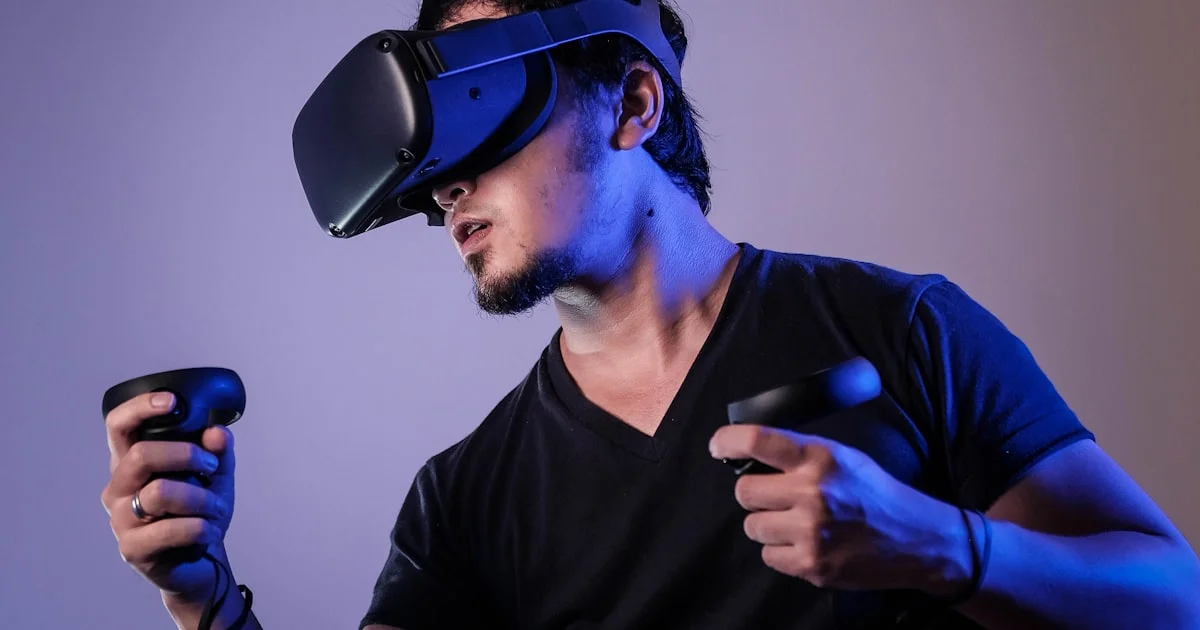
Choosing a VR headset for beginners is easier once you settle one question first: standalone, or tethered to a gaming PC or console? Everything else — comfort, content library, play space, controllers, and the real total cost — follows from that decision rather than from any single headline specification.
Key Takeaways
- Standalone headsets are the right starting point for almost every beginner. Tethered systems suit people who already own a capable PC.
- Comfort determines how often you actually use it. An uncomfortable headset gathers dust regardless of image quality.
- Play space matters more than beginners expect — check your room before choosing seated or room-scale content.
- Budget for the extras: a better head strap, a facial interface, and possibly a carry case are common early purchases.
- Motion discomfort is real but usually fades. Start with seated, stationary experiences and build up gradually.
Picking a VR headset for beginners: the first decision
The short answer: buy a standalone headset unless you already own a gaming PC strong enough to drive VR, in which case a tethered option opens up higher fidelity content. Do not buy a PC specifically to run VR as a first step.
Standalone headsets contain their own processor, storage, and battery. You put one on and play — no cables, no computer, no external sensors. That simplicity is why they dominate first purchases, and why they are the headsets most likely to still be used six months later.
Tethered headsets use a computer’s graphics card to render, which allows visual quality that standalone hardware cannot match. The cost is a cable, a capable PC, and a more involved setup.
An affordable VR headset comparison
A useful affordable VR headset comparison looks past resolution numbers to the things that determine whether you enjoy the device day to day.
| Factor | Standalone | PC-tethered |
|---|---|---|
| Setup complexity | Minimal — unbox and play | Moderate — drivers, software, cable routing |
| Additional hardware | None required | Capable gaming PC required |
| Visual fidelity | Good, limited by onboard hardware | Higher, scales with your graphics card |
| Session length | Limited by battery | Unlimited while plugged in |
| Portability | Excellent | Poor |
| Content library | Curated store, generally polished | Larger, more varied, more technical |
| Best for | First-time buyers, families, casual play | Existing PC gamers, simulation enthusiasts |
Some standalone headsets can also connect to a PC over cable or wireless streaming, giving you both paths from one device. If you think you might want PC content later, this flexibility is worth prioritising.
Comfort is the specification nobody lists
Weight distribution matters more than absolute weight. A headset that balances mass between front and back feels lighter over an hour than a lighter headset with everything pressed against your face. Many stock head straps are the cheapest component in the box, and an aftermarket strap is the single most common first upgrade for good reason.
A few things to check before committing:
- Glasses compatibility — some headsets include a spacer, some sell prescription lens inserts, some are simply cramped.
- Interpupillary distance adjustment — physical IPD adjustment produces a sharper image than software approximations for most people.
- Facial interface material — stock foam absorbs sweat. Replaceable or wipeable interfaces are far more practical if the headset gets shared.
- Ventilation — lens fogging is common early on, and airflow design affects it considerably.
- Weight on the cheekbones — pressure points here are the usual reason sessions end early.
A standalone VR honest review of the trade-offs
A standalone VR honest review has to cover the limitations alongside the convenience, because both are real.
Battery life typically runs a couple of hours of active play, which is usually longer than a beginner wants to be in a headset anyway. A battery pack built into a rear strap extends this and improves balance at the same time.
Storage is not expandable on most models, and VR titles are large. If you install more than a handful of games, you will be managing space. Check the storage tier before buying rather than assuming you can add more later.
Processing power sets a ceiling on visual complexity. Standalone titles are well optimised and look good, but they are built within tighter constraints than PC VR content. Whether this matters depends entirely on what you want to play.
Account requirements deserve attention too. Some ecosystems require an account with the manufacturer, and your content library is tied to it. Understand what you are buying into before you build up a collection.
Space, safety, and setting up properly
Room-scale content needs clear floor space with nothing to strike. Seated and standing experiences need much less. Measure honestly, including overhead clearance for lights and fans, which are struck more often than beginners imagine.
- Clear the play area of furniture, pets, cables, and anything fragile.
- Set the guardian or boundary system carefully. Trust it, and reset it whenever you move rooms.
- Start seated and stationary. Games with artificial locomotion cause the most discomfort for newcomers.
- Keep sessions to fifteen or twenty minutes at first, and stop the moment you feel unwell rather than pushing through.
- Use teleport movement where offered, then transition to smooth locomotion once you have adapted.
- Take a break every hour or so, and give your eyes a few minutes to readjust afterwards.
Motion discomfort affects a substantial proportion of new users and usually diminishes with gradual exposure. Fans providing airflow, comfort settings such as vignetting, and choosing stationary experiences early all help considerably.
How to read a best VR ranked 2026 list
Any best VR ranked 2026 roundup is a snapshot of a market that moves quickly, and rankings tend to weight specifications heavily because those are easy to tabulate. Treat them as a shortlist rather than an answer, and check three things the rankings usually understate.
First, the content you specifically want. A headset with excellent hardware and no access to the titles you care about is the wrong headset. Second, comfort with your own face and glasses, which no ranking can assess for you. Third, the ecosystem’s longevity — support, updates, and store activity matter more over a device’s life than a resolution advantage at launch.
Factor the accessories into your comparison as well. Between a replacement strap, a facial interface, and possibly a link cable, the real cost of entry is meaningfully higher than the headset price alone.
Frequently Asked Questions
These questions come up repeatedly from people buying their first headset.
Do I need a gaming PC to start with VR?
No. Standalone headsets run everything onboard and need no computer. A PC only becomes relevant if you want access to PC VR content, and even then, several standalone headsets can connect to a PC when you are ready.
Will VR make me feel sick?
Some people experience discomfort initially, particularly with artificial movement. It commonly fades with gradual exposure. Start with seated, stationary experiences, use teleport movement, keep early sessions short, and stop rather than pushing through if you feel unwell.
Can children use VR headsets?
Manufacturers publish minimum age recommendations, generally in the early teens, and these relate to both fit and developmental considerations. Headsets are also sized for adult faces, which affects both comfort and image clarity. Check the specific manufacturer’s guidance.
How much space do I actually need?
Seated experiences need almost none. Standing experiences need room to extend your arms in all directions. Room-scale content wants a clear area of a few metres square, plus overhead clearance. Many titles offer seated modes if space is tight.
Conclusion
Start standalone, prioritise comfort over specifications, measure your play space honestly, and budget for a better strap. Get those right and the headset will still be in regular use long after the novelty of the first week has passed.


