

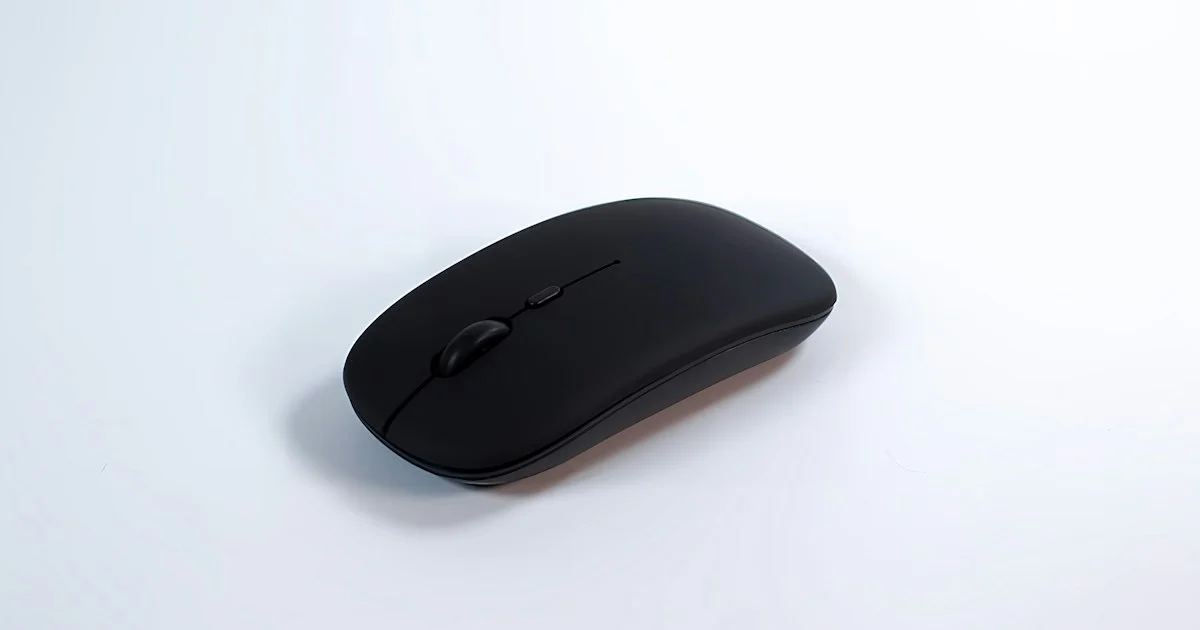
Your hand spends roughly three times as long on the mouse as it does on the keyboard — a ratio measured in a study of computer users published in the journal Work. That makes the mouse the most-used object on most desks and the least considered. This guide covers which wireless mouse to buy 2026 shoppers should shortlist for office and travel work, and what the research actually supports.
This article is general information, not medical advice. Wrist, hand or forearm pain that persists, wakes you, or comes with numbness or weakness is worth taking to a doctor rather than solving with a different mouse.
How to decide which wireless mouse to buy in 2026
Almost every wireless mouse sold today tracks well enough for office work. The sensor stopped being the interesting question years ago; fit, connection type and power are what separate a mouse you forget about from one that annoys you daily. Work through these in order:
- Measure your hand, then pick the shell. Measure palm length from the wrist crease to the tip of the middle finger and note whether you rest your whole palm on the mouse, arch your fingers, or grip only with the fingertips. Shell size and shape follow from that, and nothing else you choose will compensate for getting it wrong.
- Choose the connection for how you work, not for speed. A 2.4 GHz USB dongle is the reliable default; Bluetooth frees the port and pairs with tablets and phones. Many mice now do both, which is the answer if you switch machines.
- Decide about battery type once. Rechargeable means a cable every few weeks; a single AA cell can run for many months and is replaceable anywhere, which matters on the road.
- Check the angle of the top case. This is the one design detail with real evidence behind it, and it is covered below.
- Count the buttons you will actually use. Two side buttons and a scroll wheel cover most office work. Twelve buttons on a productivity mouse is a gaming feature wearing a suit.
What a 2.4 GHz dongle gives you
A dedicated 2.4 GHz receiver runs a private radio link between mouse and computer. It connects before the operating system loads, it does not depend on the machine’s Bluetooth stack, and it historically had a real latency advantage — which is why it became the default on anything sold for responsiveness.
The cost is a permanently occupied USB port and a small piece of plastic that is easy to lose. On a laptop with two ports, that is a genuine trade-off.
Who a 2.4 GHz dongle suits
The best wireless mouse for USA desk setups is usually a dongle model, because a desktop or docked laptop has ports to spare and the connection simply never needs thinking about. Choose the dongle if you work mostly at one machine, if you need the mouse alive in a BIOS or boot menu, or if your office is crowded with wireless devices and you want a link that does not negotiate with anything.
What Bluetooth gives you — and what changed
Bluetooth costs you nothing in ports and pairs with tablets and phones, but it has carried a reputation for feeling slightly behind. That reputation had a specific technical cause. Standard Bluetooth Low Energy has a minimum connection interval of 7.5 milliseconds, which caps the update rate at about 133 Hz — fine for documents, noticeable if you are dragging something precisely.
That ceiling is lifting. The Bluetooth SIG’s Shorter Connection Intervals feature drops the minimum interval to 375 microseconds, a twentyfold reduction, which allows report rates up to 2,666 Hz for wireless input devices. Support arrives with new silicon rather than a firmware update, so through 2026 you will find both generations on shelves — worth knowing if you are deciding whether Bluetooth is “good enough” for how you work.

Who Bluetooth suits
The top wireless mouse for USA buyers who work from more than one place is usually a Bluetooth model, because it is the travel answer and the multi-device answer at the same time. It suits you if:
- You work on a laptop with two USB-C ports and resent losing one
- You move between a work laptop, a personal machine and a tablet
- You pack the mouse in a bag, where a dongle is a thing to lose
- Your work is documents, email, spreadsheets and browsing rather than precise dragging
The shape evidence: angle beats verticality
The research on mouse shape is more interesting than the marketing. In the Work study, raising the mouse and angling the top case reduced forearm pronation by 13.1 degrees compared with a flat benchmark mouse, without hurting pointing performance or user preference. Fully vertical mice reduced pronation the most — and produced the poorest pointing performance of anything tested.
That is a genuinely useful finding for a buyer. A moderate angle gets you most of the postural benefit at no cost in speed or accuracy, while a full 90-degree vertical mouse trades precision for posture. If you do detailed work — photo editing, CAD, spreadsheets with small targets — the moderate angle is the better buy. If your wrist discomfort is the dominant problem and precision is not, a vertical shape is a reasonable thing to try.
Match the mouse to how you work
| If this is your situation | Shortlist this |
|---|---|
| One desk, docked laptop or desktop | 2.4 GHz dongle, medium shell, two side buttons |
| Laptop with two ports, frequent travel | Bluetooth, low-profile shell, AA or long-life battery |
| Switching between three machines daily | Dual-mode mouse with stored pairing slots |
| Forearm aches by mid-afternoon | Raised, angled top case rather than a full vertical |
| Detailed editing or CAD work | Moderate angle only; avoid 90-degree vertical shapes |
| Nowhere to charge for days at a time | Replaceable AA cell, not built-in rechargeable |
What the specifications are not telling you
If you want the practical version of how to buy the best wireless mouse, stop reading the DPI number. High DPI describes how far the cursor travels per inch of hand movement, not how accurately the sensor tracks; almost every modern sensor is accurate far beyond what office work demands, and few people run anywhere near the advertised maximum anyway.
The numbers that do matter for a productivity mouse are weight, because a heavier mouse is more tiring over a long day; scroll wheel behavior, since a free-spinning wheel is transformative for long documents and irrelevant otherwise; and stated battery life under the connection you will actually use, which is usually shorter over 2.4 GHz than over Bluetooth.
Frequently Asked Questions
These are the questions that decide most purchases once the shortlist is down to two.
Is a wireless mouse still slower than a wired one?
Not in any way that affects office work. A 2.4 GHz link has been fast enough for years, and Bluetooth’s remaining gap is measured in milliseconds that documents and spreadsheets will never expose. The 2026 change is that Bluetooth’s structural ceiling is being raised rather than worked around.
Does a vertical mouse prevent wrist injury?
The evidence supports a narrower claim: angling the mouse reduces forearm pronation, and a fully vertical shape reduces it most. Reduced pronation is a better posture, not a proven cure, and the same study found vertical shapes were the worst performers for pointing accuracy. Treat it as one adjustment among several, alongside mouse position, desk height and taking breaks.
Should I buy a mouse with a charging dock?
Only if you will use it. A dock removes the “dead mouse on a deadline” problem entirely, which is its real value. If your desk is tidy and you would rather not add hardware, a mouse running on a replaceable cell solves the same problem for less money.
Conclusion
Fit the shell to your hand, pick the connection that matches where you work, and choose an angled top case over a flat one if your forearm complains. Those three decisions cover almost everything that makes a mouse pleasant to use for eight hours, and none of them are the number printed largest on the box.


