

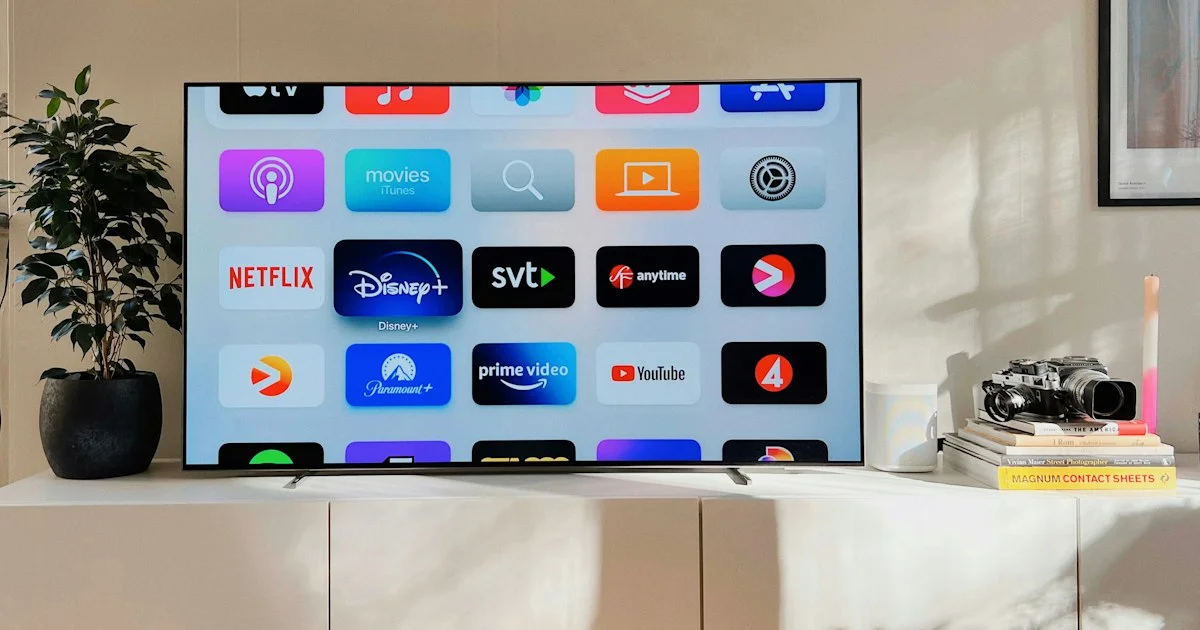
Television shopping got harder the moment every set became a computer. The best smart TV for home entertainment is rarely the one with the longest spec list — it is the one whose screen suits your room, whose picture technology matches your lighting, and whose software you will not resent in three years. This guide breaks the category down by the room and the way you actually watch.
Key Takeaways
- Measure your seating distance first. Screen size is the decision that matters most.
- Room brightness decides panel type: bright rooms need brightness, dark rooms reward contrast.
- The built-in platform shapes daily use more than any picture spec does.
- Gaming features only matter if you own a current console or plan to.
- Nearly every set sounds thin. Budget for a soundbar as part of the purchase.
What Makes the Best Smart TV for Home Entertainment
The short answer: the best smart TV for home entertainment is the largest screen your room comfortably supports, with a panel suited to how much light that room gets, running a platform that carries the apps you already pay for.
Everything else — the processor name, the motion-smoothing branding, the number of picture modes — is secondary, and much of it is marketing language that changes yearly while the underlying hardware does not. Two sets with wildly different model names often use the same panel.
Start with size, because it is the one thing you cannot fix later. A common guideline is to sit roughly one and a half times the screen’s diagonal away for comfortable viewing. Measure the distance from your sofa to the wall before you look at a single model, and let that number set your range.
Best for Bright Living Rooms
A room with large windows and daytime viewing needs brightness above all else. Contrast ratios measured in a dark lab mean very little at two in the afternoon with sun on the screen.
Look for sets that advertise high peak brightness and, ideally, a matte or anti-glare coating. Full-array local dimming helps here too, because it lets the bright parts of the picture push harder without washing out the dark ones. Panels built for deep blacks in darkness can look disappointingly dim in a sunlit room, which surprises people who bought on reviews written in a blacked-out testing space.
Placement helps as much as hardware. A screen on a wall perpendicular to the window catches far less glare than one directly opposite it.
Best for Dedicated Movie Watching
If most viewing happens in the evening with the lights down, the priority flips entirely. Now contrast and black level do the heavy lifting, and peak brightness matters less.
Self-lit panel types excel here because each pixel can switch off completely, producing black that a backlit screen cannot match. Look for support for the major high-dynamic-range formats and a picture mode labeled filmmaker, cinema, or similar, which disables the processing that makes films look like video.
One habit worth adopting on any set: turn off motion smoothing. It is on by default on most televisions and is the single biggest reason movies look wrong straight out of the box.

Best for Gaming and Console Play
Console players should treat a handful of features as requirements rather than bonuses, because a set without them will feel sluggish no matter how good the picture is.
Prioritize low input lag, a 120Hz panel, variable refresh rate support, and automatic low-latency mode, which switches the set into game mode without you reaching for the remote. Check the port specification too: not every port on a television supports the full bandwidth, and the faster ones are often limited to two of the four.
If nobody in the house games, none of this is worth paying extra for. It is the clearest example of a feature set that is either essential or irrelevant with very little middle ground.
Best for Small Rooms and Second Screens
Bedrooms, kitchens, and spare rooms have different rules. Here the goal is a screen that disappears when it is off and does not dominate when it is on.
Smaller sets rarely get the best panels, so set expectations accordingly and shop mostly on platform and connectivity. Wall mounting saves the surface underneath, and a set with ports facing sideways rather than straight back is far easier to live with once mounted. If the room has a single outlet, check the power cable’s exit direction before buying a slim wall bracket.
Budget Smart TV 2026 Review: Where the Money Goes
An honest budget smart tv 2026 review has to be clear about which corners get cut, because inexpensive sets are not simply smaller versions of expensive ones.
| What you pay more for | Noticeable when | Safe to skip if |
|---|---|---|
| Peak brightness | Daytime viewing, sunny rooms | You watch mostly at night |
| Local dimming zones | Dark scenes, letterboxed films | You mostly watch daytime television |
| 120Hz panel | Console gaming, live sport | You stream shows and films only |
| Faster processor | Menus, app switching | You use a separate streaming stick |
| Built-in speakers | Never, really | You are adding a soundbar anyway |
That last row is not a joke. Thin panels leave no room for speaker enclosures, so even premium sets sound flat. A modest soundbar improves the experience more than one step up in screen tier.
Best 4K TV Deals Comparison: When to Buy
A sensible best 4k tv deals comparison is as much about timing as about models, because television pricing follows a predictable annual rhythm.
- New model ranges typically arrive in spring, which pushes the previous year’s sets down in price.
- Those outgoing models are often the best value of the year, since panel technology rarely changes dramatically in twelve months.
- Late autumn brings the deepest discounts, but stock of the better outgoing models thins out by then.
- Check whether a discounted set is a retailer-exclusive variant, which sometimes uses a different panel than the reviewed version.
- Compare the exact model number, not the family name — a single trailing letter can mean a different screen.
Smart TV Ranked 2026 by Room and Habit
Rather than a single winner, here is a smart tv ranked 2026 view by the situation you are actually buying for:
- Bright family living room: prioritize brightness and anti-glare, accept weaker black levels.
- Evening film watching: prioritize contrast and self-lit panels, accept lower peak brightness.
- Console gaming: prioritize 120Hz, low lag and variable refresh rate, accept a smaller size to afford them.
- Bedroom or kitchen: prioritize platform and mounting, accept an ordinary panel.
- Tight budget: buy last year’s mid-range set over this year’s entry model.
How We’d Shortlist One
Measure the seating distance, convert it into a size range, and refuse to look outside that range. Then decide whether your room is bright or dark, which picks your panel type. Those two steps usually leave a handful of candidates.
From there, check that the platform carries your streaming services and that the remote has a voice button you will actually use. Add gaming features only if a console is involved. Finally, set aside part of the budget for sound rather than spending every dollar on the panel — it is the upgrade most people notice first.
Frequently Asked Questions
These come up in almost every television conversation.
Is a bigger screen always better?
Only up to the point your room supports. A screen too large for the seating distance forces your eyes to travel and makes compression artifacts in streaming content more obvious. Measure first, then buy the largest size that fits the range.
Do I need 8K?
For almost everyone, no. There is very little 8K content, and at normal seating distances the difference from 4K is hard to see. The money is better spent on a better 4K panel or on sound.
Should I use the built-in apps or a streaming stick?
Built-in apps are fine on a responsive set. If the television’s interface feels slow, a separate streaming device is an inexpensive fix and often keeps getting updates after the set stops receiving them.
How long should a television last?
The panel itself commonly lasts well beyond a decade. The software usually ages first, as apps stop supporting older platform versions. That is another argument for a separate streaming device on a set you plan to keep a long time.
Conclusion
Picking a television gets much simpler once you stop comparing spec sheets and start with your room. Measure the distance, judge the light, choose the panel type that fits, and check the platform carries what you watch. Do that and almost any set in the resulting shortlist will serve you well for years.


