

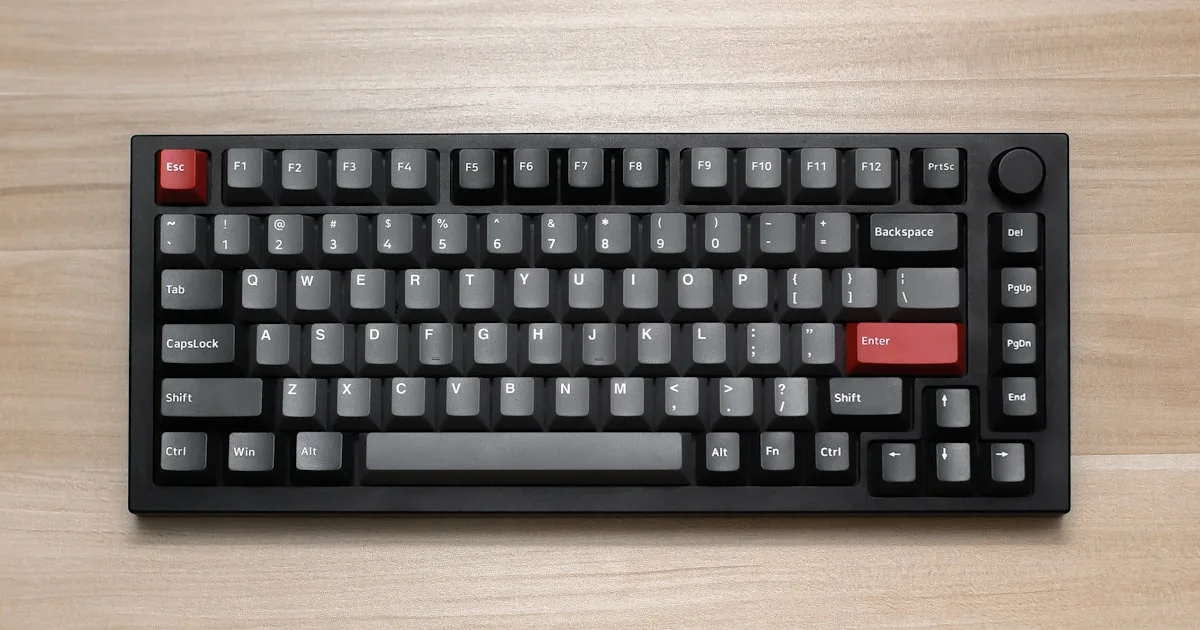
Typing all day and gaming at night puts different demands on a keyboard, and most people don’t realize how much a bad one slows them down until they switch. The best gaming keyboard for typing and gaming needs to feel responsive during fast-paced matches while still being comfortable enough for long writing or coding sessions. Getting that balance right comes down to switch type, layout, and build quality more than flashy lighting.
Key Takeaways
- Mechanical switches generally beat membrane keyboards for both typing accuracy and gaming response time.
- Tactile switches suit typing best, while linear switches are usually preferred for fast gaming inputs.
- A tenkeyless (TKL) layout saves desk space and gives your mouse hand more room to move.
- Keycap material affects durability and feel more than most people expect — PBT lasts longer than ABS.
- Budget mechanical keyboards under $80 can compete with pricier models if they use quality switches.
Best Gaming Keyboard for Typing and Gaming: The Short Answer
The short answer: the best gaming keyboard for typing and gaming uses tactile or hybrid mechanical switches, has n-key rollover so multiple keypresses register correctly during fast gaming moments, and comes in a TKL or compact layout for better mouse room. Look for durable PBT keycaps and a stable frame, since a wobbly or flexing case makes both typing and gaming feel less precise over time. Software-based remapping is a nice extra, but it’s not essential for most people.
Keyboard Gaming Mechanical Review: Understanding Switch Types
A keyboard gaming mechanical review always comes back to switches first, because switch type shapes how the whole keyboard feels. Linear switches move smoothly from top to bottom with no bump partway through, which many gamers prefer because there’s nothing interrupting a fast, repeated keypress. Tactile switches have a small bump you can feel partway down, giving your fingers feedback that confirms a key registered — a big help for accurate typing.
Linear Switches for Speed
Linear switches are popular in competitive gaming keyboards because the smooth keystroke allows for rapid, repeated presses without any physical resistance getting in the way. The trade-off is that typing can feel slightly less precise, since there’s no tactile feedback telling your finger the key has actuated.
Tactile Switches for Accuracy
Tactile switches slow you down by a fraction of a second per keystroke, but that small bump reduces typos and accidental double-presses. If you split your time evenly between typing and gaming, a tactile switch is usually the safer all-around choice. Some manufacturers also sell hybrid or “silent tactile” switches, which keep the tactile bump but dampen the sound, which is worth considering if you share a desk or room with someone else.
Layout Matters More Than You’d Expect
Full-size keyboards include a number pad, which is useful for data entry but adds width that pushes your mouse further from a natural arm position. A tenkeyless layout removes the number pad, shrinking the keyboard and giving your mouse hand more room — something competitive gamers rely on for wide, low-sensitivity mouse movements. Compact 60% and 65% layouts go even further, dropping the function row and arrow keys, which some typists miss.
- Full-size: best if you regularly need a number pad for spreadsheets or data entry.
- Tenkeyless (TKL): the most balanced choice for both typing and gaming.
- 60%/65% compact: maximum desk space, but requires learning key combos for missing keys.

RGB Gaming Keyboard 2026: Is Lighting Worth Paying For?
An RGB gaming keyboard 2026 buyer often assumes more lighting zones mean a better keyboard, but per-key RGB is mostly a visual feature with little effect on actual performance. That said, per-key lighting does have one practical use: color-coding specific keys for games or macros makes them easier to find at a glance during fast-paced moments. If lighting isn’t a priority for you, skipping it can free up your budget for better switches or a sturdier frame instead.
Software support matters more than the lighting itself. A keyboard with simple, reliable software for remapping keys and saving profiles is more useful day to day than one with more lighting effects but a clunky app.
Build Quality and Keycap Material
Keycap material affects both feel and longevity. ABS keycaps are common on budget keyboards, but they tend to develop a shiny, worn look on frequently pressed keys within a year or two. PBT keycaps cost a little more but resist this shine and generally feel slightly more textured under your fingers, which some people prefer for both typing and gaming.
Frame rigidity matters just as much. A keyboard that flexes when you press near the edges will feel less stable during fast gaming sequences and can make typing feel mushy. Aluminum-top frames add weight and cost but noticeably improve rigidity over an all-plastic case. A stabilizer system under the larger keys, like the spacebar and shift keys, also affects feel — cheap stabilizers can rattle or wobble, while well-tuned ones feel just as solid as the smaller keys around them.
Budget Gaming Keyboard Comparison: Getting Good Value
A budget gaming keyboard comparison shows that price doesn’t always track with quality once you’re past the $50 mark. Here’s how to prioritize your budget:
- Start with switch quality — a keyboard with reliable, name-brand switches beats one with more features and unknown switches.
- Check for n-key rollover or at least high anti-ghosting on commonly used key combinations.
- Confirm the layout (full-size, TKL, or compact) fits your desk space and habits.
- Look at keycap material if you plan to use it daily for years, not just months.
- Treat RGB lighting and extra software features as a bonus, not a deciding factor.
Comparing Gaming Keyboard Layouts and Switches
| Option | Best For | Trade-offs |
|---|---|---|
| Linear switches | Fast, competitive gaming | Less tactile feedback for typing accuracy |
| Tactile switches | Balanced typing and gaming | Slightly slower repeated keypresses |
| Full-size layout | Number-heavy work alongside gaming | Takes up more desk space |
| TKL layout | Most gamers and typists | No dedicated number pad |
Frequently Asked Questions
A few common questions people ask when choosing a keyboard for both typing and gaming.
Are mechanical keyboards really better than membrane ones?
For most people, yes — mechanical switches respond faster, last longer, and give more consistent feedback than the rubber dome mechanism used in membrane keyboards.
Which switch type should a beginner choose?
Tactile switches are a safe starting point since they work well for both everyday typing and casual gaming, without leaning too hard into either use case.
Does a TKL keyboard hurt productivity without a number pad?
For most typing and gaming tasks, no. If you frequently enter long strings of numbers, a separate USB number pad is an easy add-on that keeps the space savings of a TKL board.
Is a wireless gaming keyboard as responsive as a wired one?
Modern wireless keyboards built specifically for gaming use fast, low-latency connections that feel nearly identical to wired in everyday use. Budget wireless keyboards not built for gaming can lag noticeably, so check that it’s marketed for gaming specifically. Quality mechanical switches, wired or wireless, are usually rated for tens of millions of keystrokes per key, which for most people translates to many years of daily typing and gaming before any single switch wears out.
Conclusion
The best keyboard for typing and gaming isn’t about picking the flashiest option — it’s about matching switch type and layout to how you actually use your desk. A tactile TKL mechanical keyboard with durable keycaps covers most people’s needs for both work and play. Everything past that, like RGB lighting or extra macro keys, is a nice bonus rather than a requirement.


